About this ebook
Sometimes the problem is full storage. Sometimes it is too many startup apps, browser extensions, unwanted programs, malware, overheating, low memory, or an old hard drive that can no longer keep up.
Speed Up Your Slow Computer is a practical, beginner-friendly guide for everyday Windows users who want a faster, cleaner, and more reliable PC or laptop without confusing technical language or risky online tricks.
This book helps you understand what is really slowing your computer down before you spend money on repairs, upgrades, or a new device. It explains common performance problems in plain English and shows you how to make smarter decisions about cleaning, maintenance, Windows settings, security checks, and hardware upgrades.
Inside this guide, you will learn how to:
Find out whether your computer is slow because of Windows, storage, memory, malware, overheating, or internet problems
Improve slow startup and reduce unnecessary background programs
Clean storage safely without deleting important files
Understand Task Manager and spot common performance problems
Fix browser slowdowns in Chrome, Edge, and Firefox
Check for malware, fake cleaner apps, and browser hijackers
Reduce freezing, lagging, and “not responding” problems
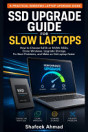
Know when an SSD upgrade can make an old computer feel much faster
Understand when extra RAM helps — and when it does not
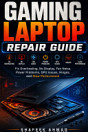
Recognize overheating, fan noise, and dust-related performance issues
Decide whether to repair, upgrade, reset, or replace your computer
Build a simple maintenance routine to keep your system running better
This book is especially useful for home users, students, office workers, seniors, small business users, and anyone who depends on a Windows laptop or desktop for everyday work.
It is written for beginners, but it does not treat the reader like a child. The goal is simple: help you understand your slow computer, fix what can be fixed safely, and avoid wasting money on the wrong solution.
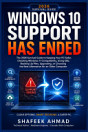
With Windows 10 support now ended and many older computers facing Windows 11 upgrade questions, this guide is also useful for readers deciding whether their current PC is still worth improving. Microsoft says Windows 10 support ended on October 14, 2025, while Windows 11 has hardware requirements such as 4 GB RAM, 64 GB storage, Secure Boot, and TPM 2.0.
Whether your computer is slow at startup, freezing during normal use, struggling with browser tabs, running out of storage, or simply feeling old, Speed Up Your Slow Computer gives you a clear, practical path before you give up on the machine.
Discover more
About the author
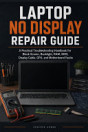
Shafeek Ahmad is a technical author and hardware engineer with practical experience in computer repair, laptop troubleshooting, and everyday PC maintenance. Through his work at Wish Computers, he has helped users understand common computer problems in clear, practical language. His books focus on real-world repair guidance, beginner-friendly explanations, and simple decision-making for home users, students, and small office computer owners.