About this ebook
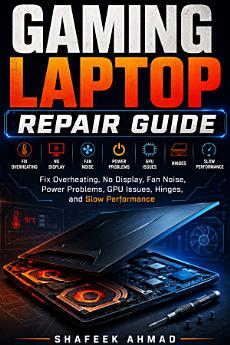
Gaming Laptop Repair Guide is a practical repair and troubleshooting manual for gaming laptop owners, repair learners, beginner technicians, computer shop workers, and advanced DIY users who want to understand common gaming laptop faults clearly.
This book explains how gaming laptops differ from ordinary laptops and why heat, airflow, power delivery, graphics hardware, fans, thermal paste, thermal pads, hinges, and performance settings matter. Instead of encouraging guesswork or random part replacement, it teaches a simple diagnostic approach: understand the symptom, check safe external causes first, inspect the cooling and power path, separate software issues from hardware faults, and know when advanced repair tools are required.
Inside this guide, readers will learn how to:
Diagnose overheating, thermal throttling, and sudden shutdown problems.
Understand fan noise, blocked vents, fan errors, dust buildup, and cooling system service.
Work safely with thermal paste, thermal pads, VRAM cooling, and liquid metal warnings.
Troubleshoot no-display, black-screen, internal screen, display cable, and backlight faults.
Recognize GPU artifacts, VRAM symptoms, driver crashes, freezing, and graphics-load problems.
Check power adapter wattage, DC jack faults, battery behavior, charging issues, and no-power symptoms.
Understand FPS drops, stuttering, RAM limits, NVMe SSD heat, power modes, and gaming performance problems.
Inspect hinges, body damage, keyboard, RGB backlight, touchpad, USB, HDMI, audio, Ethernet, and USB-C port issues.
Use technician-style intake forms, repair checklists, case studies, and quick-reference tables.
This book is written in clear, practical language for readers who want useful repair knowledge without confusing theory. It is not a brand-specific service manual and does not promote unsafe shortcuts. Instead, it helps readers make better repair decisions, avoid common beginner mistakes, and understand when a problem can be handled safely or when it requires professional board-level repair.
Whether you are maintaining your own gaming laptop, learning laptop repair, or improving your repair-shop workflow, this guide gives you a focused path for diagnosing common gaming laptop problems with more confidence.
Discover more
Ratings and reviews
About the author
Shafeek Ahmad is a technical author specializing in IT hardware, electronics, and practical repair education. His books focus on clear explanations, real-world troubleshooting, and step-by-step understanding for readers who want to learn computer and laptop repair in a practical way.