About this ebook
Laptop Hardware, Maintenance, and Upgrades is a practical, technician-style guide to understanding, servicing, maintaining, and upgrading modern laptop computers without relying on guesswork, visual similarity, or unsafe shortcuts.
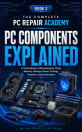
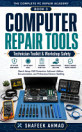
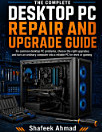
This is Book 5 of The Complete PC Repair Academy, written for aspiring computer technicians, laptop repair beginners, IT support learners, computer hardware students, DIY enthusiasts, and users who want to understand laptop hardware at a deeper level.
Modern laptops can look almost identical on the outside while using completely different batteries, motherboards, memory arrangements, display cables, storage devices, cooling systems, charging circuits, keyboards, hinges, and internal connectors. A procedure that is safe for one model may damage another.
This book teaches you to identify the exact laptop model and configuration first, understand how its internal assemblies relate to one another, protect the battery and data, plan the complete access route, and verify every affected function after service.
Inside, you will learn how to:
• Understand the differences between business laptops, gaming laptops, Ultrabooks, convertibles, and other portable computer designs
• Determine whether memory, storage, batteries, keyboards, displays, wireless modules, and other assemblies are removable, soldered, bonded, or model-dependent
• Research exact laptop model numbers, service tags, serial numbers, product numbers, motherboard revisions, regional configurations, and approved replacement parts
• Use manufacturer service manuals, parts lists, exploded views, and installed-component labels before beginning work
• Map a laptop as a complete mechanical, electrical, thermal, structural, and data system
• Prepare a laptop repair job around permission, warranty, backup, encryption, battery condition, tools, parts, adhesives, and stop conditions
• Disconnect external power and isolate internal batteries using model-specific procedures
• Recognize swollen, punctured, leaking, overheated, or otherwise unsafe lithium batteries
• Open laptop bottom covers and enclosures while protecting clips, hooks, adhesive, cables, antennas, and internal assemblies
• Create screw maps and control different fastener lengths, positions, shields, tapes, and brackets
• Handle ribbon cables, ZIF connectors, antenna leads, display cables, and fragile internal connectors safely
• Replace or upgrade laptop RAM when the platform supports removable memory
• Understand soldered memory limitations and verify memory compatibility before purchase
• Upgrade laptop storage using compatible SATA SSD, M.2 SATA, or NVMe devices
• Protect valuable data before storage replacement or upgrade work
• Perform safe laptop cooling maintenance involving fans, heat sinks, thermal interfaces, vents, and airflow
• Document thermal-pad locations and thickness before disturbing the cooling system
• Understand keyboard and touchpad construction and the difference between modular and integrated assemblies
• Understand laptop display systems, panels, cables, hinges, bezels, antennas, webcams, and structural dependencies
• Recognize hinge and chassis damage that can affect display cables, wireless antennas, mounting points, and enclosure integrity
• Replace or inspect supported wireless modules and preserve antenna routing
• Understand laptop charging architecture beyond simply looking at the connector shape
• Understand USB-C charging as a negotiation between the power source, cable, port, controller, and laptop
• Recognize the limits of beginner USB-C and charging troubleshooting
• Respond appropriately to laptop liquid exposure without repeatedly powering the machine
• Reassemble a laptop while restoring cable routes, shields, tapes, screws, structural supports, and hinge movement
• Perform complete post-service functional testing instead of checking only whether the laptop boots
The book also includes original technical illustrations, model-research exercises, service-planning worksheets, decision tables, safety checkpoints, practical scenarios, documentation guidance, upgrade planning tools, and reusable service records.
A major principle throughout the book is that a successful replacement is not the same as a completed repair.
After service, the technician must verify every function that may have been disturbed—including power, charging, battery operation, storage, memory, cooling, keyboard, touchpad, display, wireless connectivity, speakers, ports, cameras, sleep/wake behavior, hinges, and other affected systems.
This book deliberately avoids unsafe board-level experimentation, damaged-battery repair, live mains work, microsoldering, high-voltage display work, and unauthorized access to customer data. Instead, it teaches clear service boundaries and explains when specialist help is the professional decision.
Whether you want to learn laptop repair, upgrade RAM or storage, understand laptop batteries, maintain cooling systems, replace modular hardware, learn safe disassembly, or develop professional computer-technician habits, this guide provides a structured path from model identification to final validation.
Know the exact laptop. Protect the data. Open it safely. Service only what is supported. Test everything you disturb.
That final line is worth keeping because it communicates the central promise of the book in a memorable way.
Discover more
About the author
Shafeek Ahmad is a technology author and computer hardware professional whose work focuses on practical computer repair, laptop and desktop hardware, troubleshooting, upgrades, storage, Windows support, data protection, and technician education.
His books are written for beginners, students, DIY learners, aspiring technicians, IT support professionals, and everyday users who want practical technical guidance without unnecessary jargon or risky shortcuts.
Through The Complete PC Repair Academy, Shafeek Ahmad provides a structured learning path covering computer fundamentals, hardware components, technician tools, desktop building, laptop maintenance, firmware, operating systems, diagnostics, storage, networking, security, refurbishment, and professional computer repair practice.