About this ebook
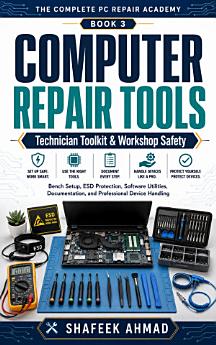
Computer Repair Tools, Technician Toolkit, and Workshop Safety is a practical guide to building the tools, workspace, safety habits, documentation systems, and professional routines needed for responsible PC and laptop repair.
This is Book 3 of The Complete PC Repair Academy and is designed for aspiring computer technicians, PC repair beginners, IT support learners, students, home repairers, and anyone who wants to move from casual computer repair attempts toward a controlled, professional workshop approach.
Owning a screwdriver set is not enough. A technician also needs to know how to choose the correct tool, prevent electrostatic discharge, organize screws and parts, protect customer devices and data, create reliable diagnostic media, document every important change, handle batteries and liquid exposure safely, and recognize when a repair should stop or be escalated.
Inside this practical computer repair guide, you will learn:
• How to design an organized computer repair bench with defined work zones
• How to choose and maintain essential PC and laptop repair tools
• How to select precision screwdrivers, Torx bits, tweezers, spudgers, opening picks, inspection tools, and other technician equipment
• How correct driver fit, alignment, and controlled torque help prevent stripped screws and damaged hardware
• How to organize screws, brackets, cables, and removed parts during computer servicing
• How electrostatic discharge—ESD—can damage sensitive computer components
• How to create and audit an ESD-protected computer repair workspace
• How to use anti-static mats, grounding equipment, and safe component-handling practices
• How to clean computers while controlling dust, airflow, liquids, contamination, and drying time
• How to document thermal paste, thermal pads, adhesives, seals, and cooling materials before service
• Electrical concepts every beginner computer technician should understand
• Safe beginner boundaries for using a digital multimeter
• How known-good parts, test peripherals, PSU testers, cable testers, POST aids, and sensors fit into technician work
• How to build a controlled software toolkit for computer diagnostics
• How to obtain technician utilities from official sources and record versions, signatures, and hashes
• How to create, identify, and manage bootable USB diagnostic media
• How to protect customer disks and valuable data during software testing
• Safe handling of connectors, ribbon cables, latches, batteries, adapters, and power systems
• How to respond to swollen lithium batteries, electrical hazards, liquid exposure, fire risks, toner, and workshop chemicals
• How professional computer repair shops receive and document customer devices
• How to protect customer privacy and limit access to only what is necessary
• How to maintain chain-of-custody records and secure device storage
• How to write repair records another technician can understand and continue
• How to use a research-first approach before opening unfamiliar desktops and laptops
• How to perform controlled cleaning and reverse-order reassembly
• How to recognize situations that should be paused or escalated instead of forcing a repair
The book also includes practical workshop exercises, repair-bench diagrams, technician checklists, customer intake forms, device-condition records, diagnostic logs, parts and substitution records, ESD audit tools, software inventory forms, battery and e-waste records, liquid-damage triage forms, and a final workshop-readiness assessment.
The emphasis throughout is simple:
Protect the technician. Protect the device. Protect the data. Document the work.
This book does not encourage unsafe electrical work, power-supply disassembly, damaged-battery experimentation, security bypassing, or guesswork around valuable customer data. Instead, it teaches the boundaries and habits that help beginner technicians work more carefully and professionally.
Whether you are building your first computer repair toolkit, setting up a home PC repair bench, studying IT support, preparing for hands-on computer servicing, or developing professional technician habits, this book gives you a structured foundation before you move into installation, upgrades, and deeper diagnostics.
Build the bench. Choose the right tools. Protect the hardware. Work like a technician.
Discover more
About the author
Shafeek Ahmad writes practical technology guides focused on computer repair, PC hardware, Windows troubleshooting, data protection, laptop servicing, storage, diagnostics, and safe technician practices. His books are designed to make technical subjects easier to understand while emphasizing careful troubleshooting, responsible device handling, accurate documentation, and realistic repair boundaries.
Through The Complete PC Repair Academy, Shafeek provides a structured learning path for beginners, students, aspiring technicians, IT support learners, and computer enthusiasts who want to develop practical computer-repair skills progressively rather than relying on shortcuts or guesswork.