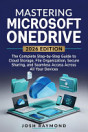
MICROSOFT ONEDRIVE FOR BUSINESS USERS: Professional Cloud Collaboration, Secure Sharing, BackupBackup Strategies, and Microsoft 365 Workflows.
About this ebook
Microsoft OneDrive for Business is far more than a place to store files. Properly configured, it becomes a central part of the Microsoft 365 ecosystem for secure document management, collaboration, backup, governance, automation, and enterprise productivity.
Microsoft OneDrive for Business is a practical professional guide designed to help IT administrators, technology professionals, team leaders, records managers, power users, and organizations get significantly more value from OneDrive while maintaining security, compliance, and operational control.
The book begins with the foundations, explaining OneDrive for Business architecture, licensing, storage allocation, the relationship between OneDrive and SharePoint, synchronization, and mobile access. You will learn how to make informed decisions about where files should live and how OneDrive fits into a broader Microsoft 365 environment.
You'll then learn how to plan and execute successful deployments, including:
• Choosing an appropriate rollout strategy
• Preparing the technical environment before deployment
• Planning migrations with minimal disruption
• Improving user adoption and change management
• Building champion networks and support processes
• Measuring adoption and deployment success
The book goes deeper into storage and performance, showing how to work with Files On-Demand, large files and libraries, storage quotas, network performance, macOS considerations, selective synchronization, and sync-health monitoring.
Security and collaboration receive equal attention. Learn how to configure sharing links, manage external users, control domains, work with sensitivity labels, audit sharing activity, and establish policies for secure collaboration.
You'll also discover practical approaches to resilience and recovery, including versioning, the Recycle Bin, Files Restore, ransomware recovery, retention policies, and disaster-recovery planning.
For organizations operating under regulatory and security requirements, the governance chapters cover Microsoft Purview sensitivity labels, Data Loss Prevention, eDiscovery, legal holds, information barriers, data residency, offboarding, auditing, and continuous monitoring.
Advanced users can take OneDrive further through Power Automate, Microsoft Graph, PowerShell, real-time co-authoring, mobile scanning and OCR, advanced search, and integrations with non-Microsoft applications.
The book also places OneDrive within the wider Microsoft 365 ecosystem, explaining how it connects with Teams, SharePoint, Outlook, Loop, and Copilot. The final chapters address troubleshooting, support, futureproofing, and building an internal OneDrive Center of Excellence.
Whether you're deploying OneDrive across an organization, improving an existing Microsoft 365 environment, solving synchronization problems, strengthening security, or building better collaboration workflows, this guide provides practical frameworks, checklists, examples, and implementation strategies you can apply in real-world environments.
Stop treating OneDrive as simply cloud storage. Learn how to turn it into a secure, governed, collaborative, and enterprise-ready part of Microsoft 365.