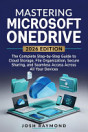
BEGINNERS MICROSOFT ONEDRIVE: STEP-BY-STEP GUIDE TO UNDERSTANDING CLOUD STORAGE, FILE SYNCING, SHARING, COLLABORATION, AND SECURITY IN 2025 WITH TIPS, TRICKS, AND ILLUSTRATIONS FOR WINDOWS, MAC, IOS, ANDROID, AND WEB
About this ebook
Microsoft OneDrive Beginners is a practical, step-by-step guide designed to help you understand and confidently use OneDrive across Windows, Mac, iOS, Android, and the web. Whether you are completely new to cloud storage or want to improve the way you manage your digital files, this guide provides a clear path from essential concepts to more capable everyday workflows.
You’ll learn how OneDrive works, how to organize and search your files efficiently, how syncing works across multiple devices, and how to share documents while maintaining appropriate control over access. The book also explores collaboration with Microsoft 365, including connections with Microsoft Teams and SharePoint, making it easier to work with documents and other people from different locations.
Security and recovery are also given careful attention. You’ll explore Personal Vault, encryption, permissions, version history, ransomware protection, recovery options, and practical approaches to protecting sensitive information. The guide also introduces Microsoft Copilot, natural-language search, Power Automate, Files On-Demand, offline access, and other modern capabilities that can make OneDrive more useful and efficient.
With practical explanations, illustrations, troubleshooting guidance, real-world scenarios, and tips for improving your workflow, this book is designed to help you build confidence rather than simply memorize features.
Whether you are a student, home user, professional, freelancer, or someone beginning to work more extensively with Microsoft 365, Microsoft OneDrive Beginners gives you the knowledge to store, access, organize, share, synchronize, and protect your files with greater confidence.