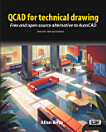
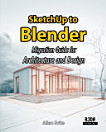
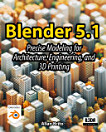
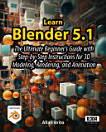
About this ebook
Learn how to navigate the QCAD interface, use essential commands, and work with layers, blocks, hatching, dimensions, and line types. You will create everything from basic geometric shapes to complete architectural floor plans, isometric drawings, and detailed construction documents — then export them as DWG files ready for professional use.
This QCAD book covers key topics including:
• Setting up QCAD and understanding the workspace
• Drawing and editing tools for precise 2D CAD drafting
• Working with blocks, layers, and hatching patterns
• Creating architectural plans and technical illustrations
• Adding dimensions, annotations, and title blocks
• Printing to scale and exporting to DWG and PDF
More than a simple reference, this guide teaches essential CAD principles and design best practices that apply across the entire CAD field. If you have been looking for a comprehensive QCAD ebook for beginners that also delivers depth for experienced users, this is the ideal starting point for your journey into technical drawing and computer-aided design.
Discover more
About the author
Allan Brito is an architect who is deeply passionate about integrating open-source technology into design and architectural visualization. With a rich history of exploring various open-source tools since 2005, Allan has broadened his focus beyond Blender to encompass a wide range of open-source software utilized in architecture and design. One of his core objectives is to support artists across these fields by guiding them in leveraging open-source tools to their advantage.
For insights on the extensive use of open-source software in architecture and design, visit blender3darchitect.com. Though the site began as a hub for Blender users, it has evolved to cover a plethora of open-source software. Allan continues to share articles daily, providing valuable information and resources to the open-source design community.