About this ebook
The Complete Migration Guide for SketchUp Users – Translate Your Existing Skills into Blender's Powerful Modeling, Materials, and Rendering Capabilities
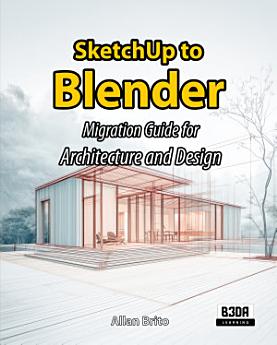
SketchUp to Blender: Migration Guide for Architecture and Design accelerates your transition from SketchUp to Blender by building on the 3D modeling knowledge you already possess. This practical guide translates familiar SketchUp concepts into Blender equivalents, helping you achieve proficiency faster than starting from scratch. Your understanding of vertices, edges, faces, and extrusion transfers directly; you simply need to learn Blender's tools and workflows.
What You'll Learn Chapter-by-Chapter:
Chapter 1: Understanding SketchUp and Blender Workflows - Master Blender's Object Mode and Edit Mode paradigm, navigate the interface with confidence, and configure settings optimized for SketchUp migrants.
Chapter 2: Importing SketchUp Files into Blender - Bring existing projects directly into Blender using native .SKP import, intermediate formats (DAE, FBX, OBJ), and master post-import cleanup procedures for professional results.
Chapter 3: Core Modeling Tool Translation - Translate Push/Pull to Extrude variants, Offset to Inset Faces, and master Blender's hotkey-driven transforms with axis constraints and numerical precision.
Chapter 4: Precision Workflows and Snapping - Configure Blender's snapping system to replicate SketchUp's inference engine, apply axis constraints, and combine snapping with numeric input for millimeter-level accuracy.
Chapter 5: Components, Groups, and Collections - Map SketchUp components to Blender's linked duplicates, use parenting as group hierarchy, and organize complex scenes with flexible collection management.
Chapter 6: Materials and Texturing Translation - Navigate node-based materials with the Shader Editor, import PBR materials from online libraries using USDZ, and troubleshoot materials from imported SketchUp files.
Chapter 7: Modifiers and Non-Destructive Workflows - Leverage Blender's modifier stack for procedural modeling with Mirror, Array, Boolean, and Solidify modifiers that keep your original geometry editable.
Chapter 8: Rendering Overview and Extended Capabilities - Compare Eevee and Cycles render engines, manage cameras and lights for architectural visualization, and composite dimension lines into final renders.
Perfect for SketchUp Professionals:
Build on your existing 3D modeling knowledge rather than starting from zero
Translate familiar SketchUp workflows into Blender equivalents
Access photorealistic rendering without expensive plugins
Learn non-destructive modeling techniques unavailable in SketchUp
Import and enhance your existing SketchUp projects in Blender
Master professional visualization workflows for architecture and design
Every chapter features hands-on exercises with detailed, screenshot-rich instructions that connect new Blender techniques to familiar SketchUp approaches. Comparison tables throughout the book map SketchUp tools to their Blender equivalents, accelerating your learning curve.
Whether you're pursuing architectural visualization, product design, interior rendering, or 3D printing projects, this migration guide provides the focused translation you need. No need to unlearn what you know; leverage your SketchUp expertise as a foundation for Blender mastery.
Start your Blender migration today with the comprehensive guide designed specifically for experienced SketchUp users!
Discover more
About the author
Allan Brito is an architect who is deeply passionate about integrating open-source technology into design and architectural visualization. With a rich history of exploring various open-source tools since 2005, Allan has broadened his focus beyond Blender to encompass a wide range of open-source software utilized in architecture and design. One of his core objectives is to support artists across these fields by guiding them in leveraging open-source tools to their advantage.
For insights on the extensive use of open-source software in architecture and design, visit blender3darchitect.com. Though the site began as a hub for Blender users, it has evolved to cover a plethora of open-source software. Allan continues to share articles daily, providing valuable information and resources to the open-source design community.