About this ebook
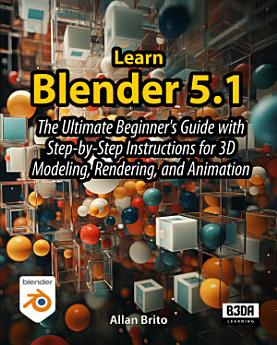
The Complete Blender Step-by-Step Guide for Beginners with Zero Experience – From Installation to Your First 3D Animation
Learn Blender for beginners has never been easier. This book takes you from complete novice to confident creator, even if you've never opened Blender before. Our beginner-friendly approach breaks down complex concepts into simple steps that anyone can follow.
Blender 5.1 is the most beginner-friendly version ever released, featuring a searchable modifier menu, over 100 interface improvements, and new tools that make 3D modeling for beginners more intuitive than ever.
What You'll Learn Chapter-by-Chapter:
Chapter 1: User Interface and 3D Navigation - Master Blender's interface, learn essential navigation controls, manage workspaces, and customize your environment with add-ons. Perfect for first-time users starting their Blender for beginners journey!
Chapter 2: Object Creation and Manipulation - Create and transform 3D objects, use work modes, manage pivot points, organize with collections, and learn the Asset Browser basics.
Chapter 3: Mesh Editing and 3D Modeling - Develop core Blender 3D modeling for beginners skills with essential tools like Extrude, Inset, and Loop Cut while creating a practical low-poly sword project.
Chapter 4: Modeling Tools and Curves - Expand your skills with curve-based modeling, text creation, and powerful modifiers including Subdivision Surface, Mirror, Array, and Boolean operations.
Chapter 5: Geometry Nodes - Unlock procedural modeling with Geometry Nodes to duplicate objects, create random variations, scatter objects on surfaces, and build custom tools.
Chapter 6: Materials and Textures - Create realistic materials using different shaders, apply textures with proper mapping, work with PBR texture packs, and create glass, mirrors, and multi-material objects.
Chapter 7: Motion and Animation - Start your 3D animation for beginners journey by bringing creations to life with keyframe animation, curve following, constraints, parenting, and rigid body simulations.
Chapter 8: Cameras, Lights, and Rendering - Complete your Blender animation and rendering for beginners training by setting up cameras and lighting, creating backgrounds, mastering EEVEE and Cycles engines, and editing animations in Blender's video editor.
The Perfect Blender Step-by-Step Guide for Beginners:
Start from zero with installation and setup guidance
Master Blender's interface with illustrated, beginner-focused tutorials
Follow clear step-by-step instructions for every technique
Learn at your own pace with exercises designed for newcomers
No prior 3D modeling or animation experience required
Avoid common beginner frustrations with troubleshooting tips
Every chapter features hands-on projects with screenshot-rich instructions that make learning intuitive. You'll never feel lost as you progress from simple to advanced techniques at a comfortable pace.
Whether you're pursuing a new hobby, exploring career opportunities in 3D design, or curious about digital art, this Blender step-by-step guide for beginners provides the foundation you need with no technical jargon. You'll use the same free software that created the Oscar-winning film Flow.
Start your Blender journey today with the most comprehensive guide to learn Blender for beginners – from 3D modeling to animation and rendering!
Discover more
Ratings and reviews

- Flag inappropriate
About the author
Allan Brito is an architect who is deeply passionate about integrating open-source technology into design and architectural visualization. With a rich history of exploring various open-source tools since 2005, Allan has broadened his focus beyond Blender to encompass a wide range of open-source software utilized in architecture and design. One of his core objectives is to support artists across these fields by guiding them in leveraging open-source tools to their advantage.
For insights on the extensive use of open-source software in architecture and design, visit blender3darchitect.com. Though the site began as a hub for Blender users, it has evolved to cover a plethora of open-source software. Allan continues to share articles daily, providing valuable information and resources to the open-source design community.