About this ebook
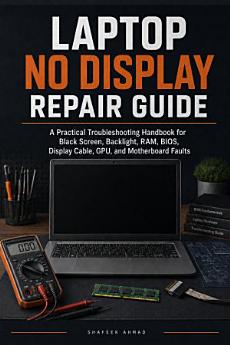
A laptop no-display fault can look simple, but the real cause may not be the screen. The problem could be RAM, BIOS, backlight, display cable, LCD panel, GPU, power sequencing, or a motherboard-level fault. For beginners, hardware students, IT support trainees, and repair shop learners, the hardest part is knowing what to check first.
Laptop No Display Repair Guide is a focused practical troubleshooting handbook that teaches a clearer method for diagnosing black-screen and blank-screen laptop faults. Instead of encouraging random part replacement, it helps you understand the difference between no power, no boot, and no display, then guides you through safer observation, external monitor testing, flashlight testing, RAM checks, BIOS-related symptoms, display cable inspection, backlight clues, and motherboard suspicion.
Inside this guide, you will learn how to:
• Separate no power, no boot, and no display faults
• Understand common laptop black screen symptoms
• Use external monitor testing correctly
• Perform a flashlight test to identify possible backlight failure
• Recognize RAM, BIOS, CMOS, and embedded controller reset-related issues
• Identify likely LCD panel, display cable, and backlight problems
• Understand when GPU or motherboard faults may be more likely
• Avoid common beginner mistakes that damage connectors, cables, panels, and boards
• Build a practical no-display troubleshooting workflow for repair-bench work
• Decide when to continue, when to replace parts, and when to stop for professional help
This handbook is written in a clear, practical service-manual style for readers who want useful repair guidance without unnecessary theory. It includes symptom tables, checklists, realistic repair examples, safety warnings, and a final action plan that helps you approach laptop no-display repair with more confidence.
Whether you are learning laptop repair, studying computer hardware, working in IT support, or starting in a small repair shop, this book gives you a compact reference for one of the most common and confusing laptop repair problems: a laptop that turns on but shows no display.
A practical laptop black screen troubleshooting guide for beginners, students, and self-taught technicians who want to diagnose before replacing parts.
Discover more
About the author
Shafeek Ahmad is a technical author and hardware professional with practical experience in computer repair, laptop troubleshooting, and technology education. His books are written for beginners, hardware students, IT support learners, self-taught technicians, and repair shop beginners who want clear, practical guidance without unnecessary complexity.
His work focuses on real repair problems, step-by-step diagnostic thinking, safety awareness, and beginner-friendly explanations. Instead of only explaining theory, he helps readers understand what to check, why it matters, what a symptom may mean, and when a repair should move to a more advanced level.
Through his practical repair guides, Shafeek Ahmad aims to help readers build confidence, avoid costly mistakes, and approach computer hardware problems with a clearer troubleshooting method.