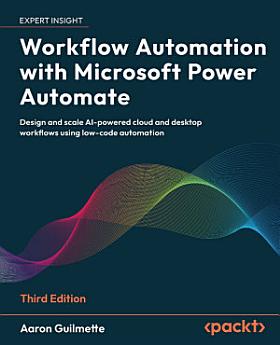
Workflow Automation with Microsoft Power Automate: Design and scale AI-powered cloud and desktop workflows using low-code automation, Edition 3

· Packt Publishing Ltd
Ebook
544
Pages
Tools

About this ebook

Build intelligent automations with AI, RPA, and Microsoft 365 to streamline work and reduce manual tasks Free with your book: DRM-free PDF version + access to Packt's next-gen Reader*Key Features
  • Build flows faster using Copilot, AI Builder, and Gen AI tools
  • Learn to create robust cloud and desktop automations through real-world examples
  • Implement best practices for security, governance, and monitoring
Book DescriptionWhether you're automating a daily task or implementing automation at scale, this third edition gives you everything you need to succeed. This practical guide makes automation accessible, helping you streamline operations using low-code cloud flows, desktop RPA, and AI tools built into Microsoft Power Automate. You’ll begin by building foundational skills through easy-to-follow tutorials that show how to automate actions across Outlook, Teams, SharePoint, Slack, and more. From there, you'll level up to integrating approvals, databases, and Forms, handle complex scenarios such as sequential and parallel approvals, and manage shared flows. The book explores Power Automate’s robotic process automation capabilities, teaching you how to automate legacy applications, web interfaces, and Access databases. With expanded coverage of AI Builder, sentiment analysis, Copilot, and document summarization using generative AI, you'll gain hands-on experience creating intelligent, responsive workflows that drive efficiency. Written by a Microsoft 365 expert, this third edition adds 8 new chapters along with guidance on governance, compliance, and enterprise deployment, making it a complete guide for anyone looking to get started or scale automation with Power Automate. *Email sign-up and proof of purchase requiredWhat you will learn
  • Build cloud flows using triggers, connectors, and actions
  • Use Copilot and generative AI to create and edit flows
  • Automate desktop tasks with Power Automate for Desktop
  • Create approval processes for Teams, Slack, and email
  • Connect Power Automate to Dataverse, Forms, and SQL
  • Implement error handling, monitoring, and troubleshooting
  • Govern and scale automations using best practices
Who this book is for

This book is ideal for information workers, citizen developers, and Power users looking to automate workflows across Microsoft 365, Teams, Outlook, and third-party platforms. Basic familiarity with Microsoft 365 is recommended.

Build intelligent automations with AI, RPA, and Microsoft 365 to streamline work and reduce manual tasks Free with your book: DRM-free PDF version + access to Packt's next-gen Reader*Key Features Build flows faster using Copilot, AI Builder, and Gen AI tools Learn to create robust cloud and deskt...

Discover more

About the author

Aaron Guilmette is a VP of technology, guiding the defense industrial base into the 21st century using modern identity and productivity solutions. Previously, he was a Senior Program Manager for Customer Experience at Microsoft, helping customers adopt the Microsoft 365 platform. He primarily focuses on collaborative and automation technologies, including Microsoft Teams, Exchange Online, Power Automate, and Entra ID. Aaron lives in the Detroit, Michigan area with his five children. When he's not busy solving technical problems, racing his cars around the Midwest, writing, or teaching his kids the dark arts of driving in rush hour traffic, he's making tacos.
Aaron Guilmette is a VP of technology, guiding the defense industrial base into the 21st century using modern identity and productivity solutions. Previously, he was a Senior Program Manager for Customer Experience at Microsoft, helping customers adopt the Microsoft 365 platform. He primarily foc...

Rate this ebook

Tell us what you think.

Reading information

Smartphones and tablets
Install the Google Play Books app for Android and iPad/iPhone. It syncs automatically with your account and allows you to read online or offline wherever you are.
Laptops and computers
You can listen to audiobooks purchased on Google Play using your computer's web browser.
eReaders and other devices
To read on e-ink devices like Kobo eReaders, you'll need to download a file and transfer it to your device. Follow the detailed Help Center instructions to transfer the files to supported eReaders.