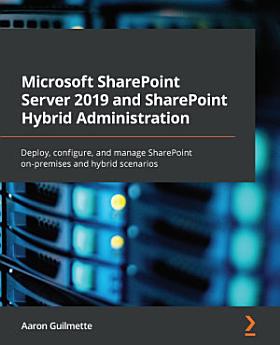
Microsoft SharePoint Server 2019 and SharePoint Hybrid Administration: Deploy, configure, and manage SharePoint on-premises and hybrid scenarios

· Packt Publishing Ltd
1 review
Ebook
536
Pages
Tools

About this ebook

Manage your Microsoft 365 workloads between SharePoint Server and SharePoint Online using the SharePoint Hybrid configurationKey Features
  • Explore the collaborative features of SharePoint Server technologies using expert techniques
  • Migrate your Microsoft 365 workload and Teamwork services to SharePoint Online using a hybrid configuration
  • Learn how to map traditional Microsoft services to a cloud service model
Book DescriptionSharePoint Server is an on-premises collaboration and business productivity platform. It serves as a content management and web services platform, enabling users to create, publish, and discover content and applications and integrate with business systems. This SharePoint book offers complete, up-to-date coverage of the SharePoint Server 2019 interface to help you configure and deploy confidently from the start. With the help of clear and succinct explanations and expert tips, this book covers SharePoint Server and SharePoint Hybrid configuration as well as the process for migrating to Microsoft SharePoint Online. As the book takes you through strategies and techniques for configuring and managing SharePoint on-premises and hybrid scenarios, you’ll get to grips with the concepts essential for SharePoint deployments, such as authentication, Business Connectivity Services, and the data gateway. You’ll also explore migration methods and strategies. By the end of this book, you'll have learned the fundamentals of deploying SharePoint Server 2019 and be able to use this reference guide for your administration tasks.What you will learn
  • Understand how SharePoint Server technologies enable you to collaborate
  • Deploy and configure SharePoint Server 2019
  • Configure and manage SharePoint site collections
  • Manage data migration with SharePoint's migration tools
  • Explore Business Connectivity Services (BCS) for working with external data sources
  • Get to grips with the different types of authentication available in the SharePoint ecosystem
Who this book is for

Microsoft SharePoint Server 2019 and SharePoint Hybrid Administration is targeted at entry-level SharePoint Server administrators who want to learn how to deploy and manage SharePoint farms, service applications, and connected data services.

Manage your Microsoft 365 workloads between SharePoint Server and SharePoint Online using the SharePoint Hybrid configurationKey Features Explore the collaborative features of SharePoint Server technologies using expert techniques Migrate your Microsoft 365 workload and Teamwork services to Share...

Discover more

Ratings and reviews

1 review

About the author

Aaron Guilmette is a VP of technology, guiding the defense industrial base into the 21st century using modern identity and productivity solutions. Previously, he was a Senior Program Manager for Customer Experience at Microsoft, helping customers adopt the Microsoft 365 platform. He primarily focuses on collaborative and automation technologies, including Microsoft Teams, Exchange Online, Power Automate, and Entra ID. Aaron lives in the Detroit, Michigan area with his five children. When he's not busy solving technical problems, racing his cars around the Midwest, writing, or teaching his kids the dark arts of driving in rush hour traffic, he's making tacos.
Aaron Guilmette is a VP of technology, guiding the defense industrial base into the 21st century using modern identity and productivity solutions. Previously, he was a Senior Program Manager for Customer Experience at Microsoft, helping customers adopt the Microsoft 365 platform. He primarily foc...

Rate this ebook

Tell us what you think.

Reading information

Smartphones and tablets
Install the Google Play Books app for Android and iPad/iPhone. It syncs automatically with your account and allows you to read online or offline wherever you are.
Laptops and computers
You can listen to audiobooks purchased on Google Play using your computer's web browser.
eReaders and other devices
To read on e-ink devices like Kobo eReaders, you'll need to download a file and transfer it to your device. Follow the detailed Help Center instructions to transfer the files to supported eReaders.

More by Aaron Guilmette

Similar ebooks