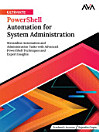
Ultimate PowerShell Automation for System Administration: Streamline Automation and Administration Tasks with Advanced PowerShell Techniques and Expert Insights (English Edition)
About this ebook
Power Up Your Automation and Administration with PowerShell
KEY FEATURES
● Master PowerShell for efficient IT administration and configuration.
● Explore practical scenarios with clear explanations and essential scripts.
● Enhance automation skills to stay ahead in IT innovation.
● Optimize Microsoft product management with advanced PowerShell techniques.
DESCRIPTION
Unlock the power of PowerShell with this comprehensive guide, designed as your ultimate companion, the book is structured into three parts, each focusing on different aspects of PowerShell. You'll start with the basics and then explore PowerShell Core's unique features. Next, you'll delve into building blocks, pipelines, and data control with arrays, loops, and hash tables.
As you progress, you'll master PowerShell security and develop advanced functions to automate complex tasks. Further chapters will guide you through optimizing Windows administration, managing tasks and jobs, and exploring remoting features for efficient multi-system management.
Finally, you'll leverage PowerShell for cloud operations and integrate it seamlessly with the Microsoft ecosystem. This book provides a progressive journey in PowerShell automation, equipping you with essential skills for various tasks, from Windows administration to cloud operations.
WHAT WILL YOU LEARN
● Master PowerShell and PowerShell Core fundamentals, syntax, and cmdlets.
● Develop robust scripts using variables, arrays, conditionals, loops, and hash tables.
● Implement security best practices to safeguard data and systems.
● Create advanced functions to streamline script development.
● Administer Windows environments efficiently with PowerShell.
● Automate tasks and optimize system performance with PowerShell.
● Utilize PowerShell remoting for remote administration and cross-platform execution.
● Manage cloud resources using PowerShell for provisioning and configuration.
● Integrate PowerShell with Microsoft ecosystem components like Active Directory and Azure.
● Create custom modules for enhanced efficiency, including support for other cloud vendors.
● Enhance PowerShell scripting and automation skills to automate tasks, troubleshoot issues, and optimize workflows across diverse computing environments.
● Master cloud automation with PowerShell, efficiently automating tasks in Azure and AWS to manage cloud resources effectively.
WHO IS THIS BOOK FOR?
This book is tailored for IT professionals, system administrators, database administrators, and automation engineers seeking to enhance efficiency through PowerShell automation across diverse platforms. Prerequisites include basic understanding of IT systems and familiarity with command-line interfaces. Whether managing server configurations, administering databases, or navigating complex projects, this resource equips you with the skills to streamline tasks effectively using PowerShell.
TABLE OF CONTENTS
Part 1 Fundamentals of PowerShell
1. Introduction to PowerShell
2. Introduction to PowerShell Core
3. PowerShell Building Blocks and Pipelines
Part 2 PowerShell Scripting and Automation
4. Data Control and Arrays Using Conditional Statements, Loops, and Hashtables
5. PowerShell Security
6. PowerShell Advanced Functions
7. Windows Administration Using PowerShell
Part 3 PowerShell Advanced Topics
8. PowerShell Tasks and Jobs
9. PowerShell Remoting
10. Managing Cloud Operations Using PowerShell
11. PowerShell and Microsoft Ecosystem
Index
Discover more
About the author
Prashanth Jayaram is an experienced professional in data and data science, with diverse expertise and roles spanning over 18 years. He excels in designing innovative database solutions and has hands-on experience with cutting-edge Next-Gen database technologies. He has authored and published over 500 articles and several books on SQL, NoSQL, PowerShell, Python, SQL on Linux, Azure, AWS, MongoDB, Graph Database, Ansible, and Azure DevOps.
His contributions to the SQL Server community have been recognized through prestigious awards such as ABOVE and BEYOND. He was honored as the Best SQL Author in 2018.
He is the author of multiple books, including PowerShell 6.0 Linux Administration Cookbook, Introduction to SQL, The SQL Workshop, Administering Relational Databases on Microsoft Azure: A Detailed Paradigm to Support SQL on Azure Cloud and DP 300 Study Guide, and PowerShell Essential Guide: Master the Fundamentals of PowerShell Scripting and Automation.
Rajendra Gupta is a distinguished Technical Architect and Database Consultant, boasting an impressive 17-year track record of immersive involvement in the realm of database technologies. With a remarkable accolade to his name, Rajendra has clinched the esteemed Best Author of the Year award from SQLShack not once but thrice consecutively.
An authoritative figure in the field, Rajendra has authored an extensive collection of over 600+ articles on SQLSHACK, MSSQLTIPS, QUEST, DZONE, and CodingSight that span across the expansive domains of SQL Server, Azure, MySQL, Linux, Power BI, Performance Tuning, AWS/Amazon RDS, Git, and various related technologies. His insightful compositions have garnered an impressive readership, with over 15 million avid readers engaging with his content to date. He is also the co-author of the books The Essential PowerShell Handbook and Administering Relational Databases on Microsoft Azure.