About this ebook
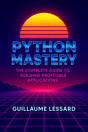
This comprehensive guide is perfect for beginners taking their first steps in app creation as well as experienced developers who want a streamlined workflow to convert HTML, CSS, and JavaScript into professional desktop software.
HTML2Win Pro walks you through every stage of the process, from setting up your development environment to building powerful applications that run smoothly on Windows. You will learn how to:
Design clean and modern interfaces
Integrate interactive features for better user experience
Optimize performance for professional-grade results
Troubleshoot issues with clear, step-by-step solutions
What makes this eBook stand out is its balance of clarity and depth. It offers practical examples you can use right away, straightforward explanations that simplify complex concepts, and actionable tips that save time while enhancing your projects.
Whether your goal is to create productivity tools, business solutions, or innovative creative apps, HTML2Win Pro gives you everything you need to bring your ideas to life on the Windows platform.
With this book, you will master the art of turning HTML into powerful Windows software while gaining the confidence to expand your development skills into new areas. More than just a guide, HTML2Win Pro is your complete companion for building desktop-ready applications that impress and inspire.