About this ebook
Are the machines in your office living isolated lives? Do you have a few computers at home that you want to connect to each other and the Internet? The best way to share files on a group of computers is to create a network. But how do you do that?
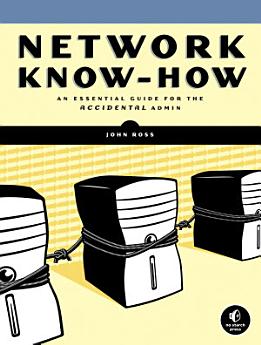
Network Know-How is your guide to connecting your machines, filled with practical advice that will show you how to get things done. You'll learn the nitty-gritty of network setup, design, and maintenance, from running cables and placing wireless access points to configuring file sharing and printing. This practical and comprehensive guide will teach you how to implement security, create intranets, and more. You'll learn how to:
–Connect Windows, Macintosh, and Linux computers
–Implement network addressing
–Configure your network adapters, hubs, switches, and router
–Share music, photos, and documents
–Automate household appliances and stream digital audio and video to your home entertainment center
–Troubleshoot network slowdowns and failures
No matter which operating system you use, and even if you’ve never installed or run a network before, you’ll get what you need to know in Network Know-How.
Network Know-How is your guide to connecting your machines, filled with practical advice that will show you how to get things done. You'll learn the nitty-gritty of network setup, design, and maintenance, from running cables and placing wireless access points to configuring file sharing and printing. This practical and comprehensive guide will teach you how to implement security, create intranets, and more. You'll learn how to:
–Connect Windows, Macintosh, and Linux computers
–Implement network addressing
–Configure your network adapters, hubs, switches, and router
–Share music, photos, and documents
–Automate household appliances and stream digital audio and video to your home entertainment center
–Troubleshoot network slowdowns and failures
No matter which operating system you use, and even if you’ve never installed or run a network before, you’ll get what you need to know in Network Know-How.
Are the machines in your office living isolated lives? Do you have a few computers at home that you want to connect to each other and the Internet? The best way to share files on a group of computers is to create a network. But how do you do that?
Network Know-How is your guide to connecting you...
Discover more
About the author
John Ross has worked as a consultant on wired and wireless networking for several manufacturers, including Motorola and AT&T. He is the author of more than two dozen books, including Internet Power Tools (Random House), Connecting with Windows (Sybex), Wiring Home Networks (Sunset Books), and The Book of Wireless (No Starch Press).
John Ross has worked as a consultant on wired and wireless networking for several manufacturers, including Motorola and AT&T. He is the author of more than two dozen books, including Internet Power Tools (Random House), Connecting with Windows (Sybex), Wiring Home Networks (Sunset Books), and The...
Rate this ebook
Tell us what you think.
Reading information
Smartphones and tablets
Install the Google Play Books app for Android and iPad/iPhone. It syncs automatically with your account and allows you to read online or offline wherever you are.
Laptops and computers
You can listen to audiobooks purchased on Google Play using your computer's web browser.
eReaders and other devices
To read on e-ink devices like Kobo eReaders, you'll need to download a file and transfer it to your device. Follow the detailed Help Center instructions to transfer the files to supported eReaders.