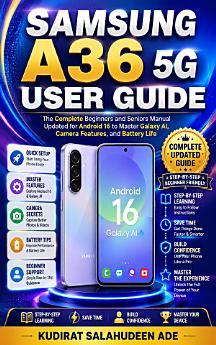
Samsung A36 5G User Guide: The Complete Beginners and Seniors Manual Updated for Android 16 to Master Galaxy AI, Camera Features, and Battery Life
About this ebook
Modern smartphones are incredibly capable, but they often leave beginners and seniors feeling overwhelmed by unfamiliar gestures, crowded screens, and complex technical jargon. It is easy to feel frustrated or afraid of breaking something when you are simply handed a device and expected to figure it out on your own.
The Samsung A36 5G User Guide is the patient, step-by-step companion you need. Written by Kudirat Salahudeen Ade, this manual replaces confusing terminology with clear, unhurried instructions designed specifically for those who want to learn at their own pace. Updated for Android 16 and One UI 8, this book acts like a helpful friend sitting at your kitchen table, walking you through every essential feature of your new phone.
BENEFITS
Set up your phone correctly from the first day and safely transfer your contacts and photos from an old device using Smart Switch.
Navigate your home screen, adjust text sizes, and increase screen contrast for genuine daily reading comfort.
Make voice and video calls through apps like Google Meet, WhatsApp, and Zoom to stay closely connected to family.
Take stunning pictures with the 50-megapixel camera and use Galaxy AI tools like Object Eraser to effortlessly clean up your favorite shots.
Maximize your 5,000 mAh battery life and confidently manage your Wi-Fi and mobile data connections.
Protect your personal information from common scams using Samsung Knox, Find My Mobile, and built-in privacy settings.
You cannot break your phone by exploring it, and you do not have to learn it all alone. Pick up your copy today to turn phone frustration into quiet, everyday confidence!