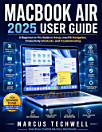
IPAD SENIORS GUIDE: The Ultimate Beginner’s Step-by-Step Instructions, Safety Tips & Fun Techniques to Stay Connected, Independent, Learn New Skills & Feel Empowered in the Digital World in 30 Days
About this ebook
If you've ever felt overwhelmed trying to use your iPad or wondered if you’ll ever be able to figure out how to make a video call, send an email, or navigate the settings, you’re not alone. But the good news is: you can master your iPad with ease—and have fun doing it.
Whether it’s been sitting unused on the table, or you’re just starting to explore it, the iPad Seniors Guide is your go-to companion to getting comfortable with your iPad, one simple step at a time.
Here’s what you’ll discover inside this guide:
Set Up Your iPad in Less Than 10 Minutes — You’ll be using your iPad in no time, even if it’s still in the box!
Adjust the Settings for Maximum Comfort — Make your screen larger and easier to read with just a few taps.
Master FaceTime — Stay connected with family and friends in seconds with easy-to-follow instructions.
Discover the Best Apps for Seniors — Find free, fun, and practical apps that make life easier, healthier, and more enjoyable.
Protect Yourself from Scams — Learn simple tricks to keep your iPad safe from hackers and avoid those annoying pop-ups.
Capture and Share Beautiful Photos — Take stunning photos with ease, even if you’ve never used a camera before.
Siri as Your Personal Assistant — Send hands-free texts, set reminders, and use Siri to make your iPad work for you.
Never Lose Anything Again — Learn the fastest way to organize and find photos, files, and apps you’ve saved.
Troubleshoot Like a Pro — Fix common problems without calling your grandkids for help!
And Many More
So, why choose this guide?
Unlike other tech books written for teenagers or engineers, the iPad Seniors Guide is patient, easy-to-read, and specifically designed for seniors. It’s like having a personal tech assistant that’s always there to walk you through every step.
If you’ve ever felt frustrated, lost, or unsure about how to use your iPad, don’t worry. You’ll soon be navigating your iPad confidently, staying connected, and enjoying all the amazing features your device has to offer.
Ready to take the first step toward becoming an iPad pro?
Get your copy of the iPad Seniors Guide today! It’s time to unlock the magic of your iPad and start enjoying the digital world with confidence. Just scroll up and grab your copy now—it’s time to join the iPad revolution!