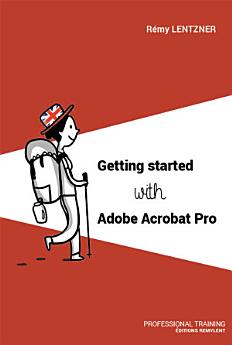
Getting started with Adobe Acrobat Pro

· Éditions Remylent
Ebook
120
Pages
Tools
Eligible

About this ebook

Adobe Acrobat Pro enables you to edit PDF files with many features in a clear and easy-to-use environment.

You will learn about the different menus and the customizable tool panel. You will discover how to insert, replace and extract pages as well as the Header & Footer.

You will create forms with fields and learn how to program them with the JavaScript language.

Adobe Acrobat allows you to comment the texts in a multi-user environment. You'll notice the properties that tell you about the identity of the document, especially the metadata and markup for creating bookmarks.

This book also takes you through the standards and print production in relation to the printers' machines.

Enjoy your reading !


ABOUT THE AUTHOR

Rémy Lentzner has been an IT trainer since 1985. Specialized in mastering office automation tools, he supports companies in the professional training of their employees. Self-taught, he has several computer books to his credit.
Adobe Acrobat Pro enables you to edit PDF files with many features in a clear and easy-to-use environment. You will learn about the different menus and the customizable tool panel. You will discover how to insert, replace and extract pages as well as the Header & Footer. You will create forms w...

Discover more

Rate this ebook

Tell us what you think.

Reading information

Smartphones and tablets
Install the Google Play Books app for Android and iPad/iPhone. It syncs automatically with your account and allows you to read online or offline wherever you are.
Laptops and computers
You can listen to audiobooks purchased on Google Play using your computer's web browser.
eReaders and other devices
To read on e-ink devices like Kobo eReaders, you'll need to download a file and transfer it to your device. Follow the detailed Help Center instructions to transfer the files to supported eReaders.