About this ebook
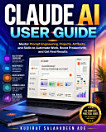
Many professionals freeze at the sight of a complex workbook, wasting hours manually matching numbers by eye or fighting formulas that silently return errors because of hidden text formatting. Instead of a seamless workflow, you end up tangled in unorganized tabs, poorly structured data, and broken cell references simply because nobody ever showed you how Excel actually thinks.
The Excel User Guide 2026-2027 by Kudirat Salahudeen Ade transforms your workflow by organizing Excel around the real tasks you face at your desk, rather than blindly marching through the software's menus. By teaching you to recognize the fundamental patterns of spreadsheet logic—looking values up, aggregating them, cleaning them, and visualizing them—this guide ensures you will always know exactly which tool to use.
BENEFITS
Navigate with Confidence: Learn essential shortcuts, customize your workspace, and properly organize sheets so you never get lost in a massive workbook again.
Tame Messy Data: Use text functions, data validation, and built-in tools to clean inconsistent capitalization, remove duplicates, and fix formatting mismatches before they ruin your formulas.
Master the Lookup Pattern: Seamlessly connect your data across multiple sheets using VLOOKUP, INDEX/MATCH, and the modern XLOOKUP.
Summarize Thousands of Rows: Replace dozens of static formulas by building dynamic Pivot Tables that let you group, filter, and calculate massive data sets in seconds.
Design Honest Visualizations: Build compelling, accurate charts and interactive dashboards equipped with click-based Slicers to answer crucial business questions at a glance.
Automate the Boring Parts: Save hours of manual repetition every week by leveraging conditional formatting and recording basic macros.
Stop treating Excel like a minefield and start treating it like a predictable, powerful toolkit. Pick up your copy today to master your data and build spreadsheets you can truly trust!