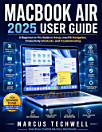
MACBOOK SENIORS GUIDE: The Ultimate Beginner’s Step-by-Step Manual to MacBook Mastery by Unlocking Simple, Stress-Free Technology for Seniors to Stay Connected and Empowered
About this ebook
You’re not alone. Many seniors face the same frustration when trying to navigate the digital world. But here's the good news: You don't need to be a tech expert to feel at home with your MacBook.
But what if you could unlock the full potential of your MacBook without the confusion? What if you could navigate your device with confidence, ease, and excitement?
That’s where the MacBook Seniors Guide comes in. This guide is designed just for YOU—clear, practical, and full of step-by-step instructions that make mastering your MacBook feel like a breeze.
Inside this guide, you’ll discover:
The exact steps to personalize your MacBook, making it feel like it was made for you.
How to navigate your MacBook like a pro, so you can work, play, and connect without frustration.
The best tools and apps that’ll help you stay connected with family, manage your life, and have fun online.
How to protect your MacBook from scams, viruses, and privacy threats—keeping you safe while you explore.
Simple shortcuts to organize your files, photos, and more—so you can find anything in seconds.
Secrets to boosting performance—make your MacBook run faster and smoother than ever before.
How to integrate seamlessly with your iPhone and Apple devices, making multitasking a breeze.
The best tips for managing storage so you never run out of space.
Step-by-step solutions for troubleshooting common issues, saving you time and money.
Insider tips for using Safari, Notes, and more to stay productive and connected with loved ones.
And many more
Say goodbye to frustration and confusion. With simple instructions, clear visuals, and no tech jargon, you’ll feel empowered to make the most of your MacBook. And with the latest 2025 macOS Sequoia features, you’ll always be up to date with the newest tools and tricks.
Ready to experience the freedom of confidently using your MacBook?
Scroll up, hit Add to Cart, and start your journey to becoming a MacBook pro today!