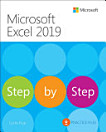
About this ebook
Whether you are a beginner, student, teacher, business professional, office worker, entrepreneur, researcher, or experienced Excel user, this handbook provides a practical path from essential spreadsheet concepts to more advanced Excel techniques.
You will learn how to create and manage Excel worksheets, organize and format data, use formulas and functions, work with tables, sort and filter information, and apply Excel tools to real-world tasks. The book also explores powerful features for data analysis, visualization, reporting, and productivity.
Inside, you will discover practical guidance on Excel formulas and functions, data organization, charts and graphs, PivotTables, data analysis, professional reporting, spreadsheet management, and automation. Step-by-step explanations make complex features easier to understand and apply.
This handbook is designed to help you work faster, reduce errors, make better use of your data, and produce clear and professional spreadsheets and reports.
Microsoft Excel 2026 Handbook is ideal for readers looking for an Excel 2026 tutorial, Excel beginner's guide, Excel formulas and functions guide, spreadsheet training manual, data analysis guide, PivotTable tutorial, Excel charts guide, or practical Microsoft Excel reference book.
What You’ll Learn
Microsoft Excel 2026 fundamentals and spreadsheet navigation
Creating, editing, formatting, and organizing worksheets
Essential and advanced Excel formulas and functions
Working with tables, sorting, filtering, and structured data
Data analysis and interpretation techniques
Creating professional charts, graphs, and visualizations
Building and analyzing PivotTables
Improving spreadsheet productivity and workflow
Automating repetitive spreadsheet tasks
Preparing professional business reports
Practical techniques for managing large amounts of data
Tips for creating accurate, organized, and professional Excel workbooks
Whether you are learning Excel for school, work, business, finance, administration, data analysis, research, or personal productivity, this book provides a practical reference you can return to whenever you need help with Excel.
Learn Excel. Analyze data. Automate tasks. Build better spreadsheets. Create professional reports.