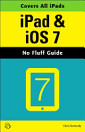
iPad & iOS 6

ยท Questing Vole Press
29 เด…เดตเดฒเต‹เด•เดจเด™เตเด™เตพ
เด‡-เดฌเตเด•เตเด•เต
278
เดชเต‡เดœเตเด•เตพ
เด‰เดชเด•เดฐเดฃเด™เตเด™เตพ
เดฏเต‹เด—เตเดฏเดคเดฏเตเดฃเตเดŸเต

เดˆ เด‡-เดฌเตเด•เตเด•เดฟเดจเต†เด•เตเด•เตเดฑเดฟเดšเตเดšเต

Perfect for new and experienced users, this no-fluff guide to the iPad, iPad mini, and iOS 6 is packed with tips and details on settings, apps, documents, and iCloud. You'll also find step-by-step instructions for dictating, networking, sharing, troubleshooting, going online, and using Siri.


New apps and features covered include Siri, Maps, Privacy, Shared Photo Streams, Do Not Disturb, Facebook integration, Clock, Guided Access, Safari and Mail improvements, and remodeled stores.


- Covers all iPads and iOS 6.1.

- Master the Home screen and multitouch gestures.

- Secure your data from thieves, snoops, and rogue apps.

- Work with onscreen or wireless keyboards.

- Get instant search results for documents, pictures, music, mail, apps, contacts, and more.

- Ask Siri to find nearby businesses, set alarms, search the web, and more.

- Dictate anywhere that you can type.

- Connect to wireless networks with a couple of taps.

- Set up cellular, Bluetooth, and VPN connections.

- Mirror your iPad's screen to your TV wirelessly via AirPlay.

- Back up your data to iCloud or iTunes.

- Use iCloud to store and access the latest versions of your documents online.

- Sync your documents, mail, contacts, appointments, reminders, notes, and messages wirelessly across your iDevices and Macs.

- See all your notifications in one place.

- Browse the web with Safari.

- Send, receive, and manage your email with Mail.

- Chat with family and friends with Messages or FaceTime.

- Post to Twitter or Facebook right from the app you're using.

- Manage your day-to-day life with Calendar, Contacts, Notes, Reminders, and Clock.

- Find your way with Maps.

- Download and install apps and updates from the App Store.

- Read books, textbooks, magazines, and newspapers with iBooks and Newsstand.

- Play games on Game Center, Apple's online multiplayer social gaming network.

- Play music, movies, TV shows, and other media downloaded from the iTunes Store.

- Capture, edit, and share photos and videos with Camera, Photos, and Photo Booth.

- Care for your iPad and troubleshoot problems.

- Plenty of tips, tricks, and timesavers.

- Fully cross-referenced, linked, and searchable.


Contents

1. Getting Started with Your iPad

2. Touring Your iPad

3. Securing Your iPad

4. Typing, Editing & Searching

5. Dictation & Siri

6. Wireless & Network Connections

7. iCloud, iTunes & Files

8. Getting Notifications

9. Browsing the Web

10. Email, Messaging & Video Calls

11. Organizing Your Life

12. Shopping in the App Store

13. Reading Books, Newspapers & Magazines

14. Playing Games

15. Downloading and Playing Music & Videos

16. Shooting, Viewing & Managing Photos

17. iPad Care & Troubleshooting


Perfect for new and experienced users, this no-fluff guide to the iPad, iPad mini, and iOS 6 is packed with tips and details on settings, apps, documents, and iCloud. You'll also find step-by-step instructions for dictating, networking, sharing, troubleshooting, going online, and using Siri. New...

เด•เต‚เดŸเตเดคเตฝ เด•เดฃเตเดŸเต†เดคเตเดคเต‚

เดฑเต‡เดฑเตเดฑเดฟเด‚เด—เตเด•เดณเตเด‚ เดฑเดฟเดตเตเดฏเต‚เด•เดณเตเด‚

29 เดฑเดฟเดตเตเดฏเต‚เด•เตพ

เดฐเดšเดฏเดฟเดคเดพเดตเดฟเดจเต† เด•เตเดฑเดฟเดšเตเดšเต

Chris Kennedy is a technical writer based in Boulder, Colorado. When he's not typing, Chris climbs rocks, revises his screenplays, and reads the journals of polar explorers.

Chris Kennedy is a technical writer based in Boulder, Colorado. When he's not typing, Chris climbs rocks, revises his screenplays, and reads the journals of polar explorers.
เดˆ เด‡-เดฌเตเด•เตเด•เต เดฑเต‡เดฑเตเดฑเต เดšเต†เดฏเตเดฏเตเด•

เดจเดฟเด™เตเด™เดณเตเดŸเต† เด…เดญเดฟเดชเตเดฐเดพเดฏเด‚ เดžเด™เตเด™เดณเต† เด…เดฑเดฟเดฏเดฟเด•เตเด•เตเด•.

เดตเดพเดฏเดจเดพ เดตเดฟเดตเดฐเด™เตเด™เตพ

เดธเตโ€ŒเดฎเดพเตผเดŸเตเดŸเตเดซเต‹เดฃเตเด•เดณเตเด‚ เดŸเดพเดฌเตโ€Œเดฒเต†เดฑเตเดฑเตเด•เดณเตเด‚
Android, iPad/iPhone เดŽเดจเตเดจเดฟเดตเดฏเตเด•เตเด•เดพเดฏเดฟ Google Play เดฌเตเด•เตโ€Œเดธเต เด†เดชเตเดชเต เด‡เตปเดธเตโ€Œเดฑเตเดฑเดพเตพ เดšเต†เดฏเตเดฏเตเด•. เด‡เดคเต เดจเดฟเด™เตเด™เดณเตเดŸเต† เด…เด•เตเด•เต—เดฃเตเดŸเตเดฎเดพเดฏเดฟ เดธเตเดตเดฏเดฎเต‡เดต เดธเดฎเดจเตเดตเดฏเดฟเดชเตเดชเดฟเด•เตเด•เดชเตเดชเต†เดŸเตเด•เดฏเตเด‚, เดŽเดตเดฟเดŸเต† เด†เดฏเดฟเดฐเตเดจเตเดจเดพเดฒเตเด‚ เด“เตบเดฒเตˆเดจเดฟเตฝ เด…เดฒเตเดฒเต†เด™เตเด•เดฟเตฝ เด“เดซเตโ€Œเดฒเตˆเดจเดฟเตฝ เดตเดพเดฏเดฟเด•เตเด•เดพเตป เดจเดฟเด™เตเด™เดณเต† เด…เดจเตเดตเดฆเดฟเด•เตเด•เตเด•เดฏเตเด‚ เดšเต†เดฏเตเดฏเตเดจเตเดจเต.
เดฒเดพเดชเตเดŸเต‹เดชเตเดชเตเด•เดณเตเด‚ เด•เดฎเตเดชเตเดฏเต‚เดŸเตเดŸเดฑเตเด•เดณเตเด‚
Google Play-เดฏเดฟเตฝ เดจเดฟเดจเตเดจเต เดตเดพเด™เตเด™เดฟเดฏเดฟเดŸเตเดŸเตเดณเตเดณ เด“เดกเดฟเดฏเต‹ เดฌเตเด•เตเด•เตเด•เตพ เด•เดฎเตเดชเตเดฏเต‚เดŸเตเดŸเดฑเดฟเดจเตโ€เดฑเต† เดตเต†เดฌเต เดฌเตเดฐเต—เดธเตผ เด‰เดชเดฏเต‹เด—เดฟเดšเตเดšเตเด•เตŠเดฃเตเดŸเต เดตเดพเดฏเดฟเด•เตเด•เดพเดตเตเดจเตเดจเดคเดพเดฃเต.
เด‡-เดฑเต€เดกเดฑเตเด•เดณเตเด‚ เดฎเดฑเตเดฑเต เด‰เดชเด•เดฐเดฃเด™เตเด™เดณเตเด‚
Kobo เด‡-เดฑเต€เดกเดฑเตเด•เตพ เดชเต‹เดฒเตเดณเตเดณ เด‡-เด‡เด™เตเด•เต เด‰เดชเด•เดฐเดฃเด™เตเด™เดณเดฟเตฝ เดตเดพเดฏเดฟเด•เตเด•เดพเตป เด’เดฐเต เดซเดฏเตฝ เดกเต—เตบเดฒเต‹เดกเต เดšเต†เดฏเตเดคเต เด…เดคเต เดจเดฟเด™เตเด™เดณเตเดŸเต† เด‰เดชเด•เดฐเดฃเดคเตเดคเดฟเดฒเต‡เด•เตเด•เต เด•เตˆเดฎเดพเดฑเต‡เดฃเตเดŸเดคเตเดฃเตเดŸเต. เดชเดฟเดจเตเดคเตเดฃเดฏเตเดณเตเดณ เด‡-เดฑเต€เดกเดฑเตเด•เดณเดฟเดฒเต‡เด•เตเด•เต เดซเดฏเดฒเตเด•เตพ เด•เตˆเดฎเดพเดฑเดพเตป, เดธเดนเดพเดฏ เด•เต‡เดจเตเดฆเตเดฐเดคเตเดคเดฟเดฒเตเดณเตเดณ เดตเดฟเดถเดฆเดฎเดพเดฏ เดจเดฟเตผเดฆเตเดฆเต‡เดถเด™เตเด™เตพ เดซเต‹เดณเต‹ เดšเต†เดฏเตเดฏเตเด•.