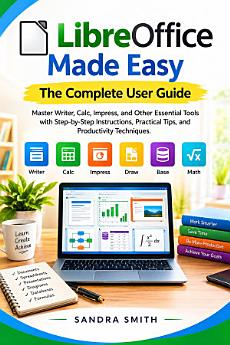
LibreOffice Made Easy: The Complete User Guide: Master Writer, Calc, Impress, and Other Essential Tools with Step-by-Step Instructions, Practical Tips, and Productivity Techniques
About this ebook
Stop struggling with office software and start working with confidence.
Have you ever opened LibreOffice and wondered where to begin?
Do you find yourself spending too much time formatting documents, fixing spreadsheet mistakes, or trying to create professional presentations?
What if you could turn LibreOffice from something confusing into a practical productivity tool you actually understand?
Imagine sitting down at your computer with a report to create, data to analyze, or presentation to prepare—and instead of feeling overwhelmed, you know exactly which tool to use and what to do next.
LibreOffice Made Easy: The Complete User Guide is designed to help make that experience possible.
Whether you’re a complete beginner, a student, professional, business owner, educator, writer, or experienced computer user looking to improve your workflow, this guide takes you through LibreOffice in a clear, practical, step-by-step manner.
Inside, you’ll discover how Writer, Calc, Impress, Draw, Base, and Math work together to help you create documents, manage information, analyze data, build presentations, produce visual materials, organize databases, and handle mathematical expressions.
But there’s a useful secret inside this book: the real power of LibreOffice isn’t simply learning individual features—it’s learning how to connect them into efficient workflows. By the end, you’ll understand how a spreadsheet can become the foundation for a report, how data can become a presentation, and how reusable templates can save time on future projects.
What You’ll Learn
Navigate LibreOffice confidently and understand its major applications
Create professional documents with Writer
Format headings, tables, images, pages, and long documents
Build formulas, analyze data, create charts, and manage spreadsheets with Calc
Design clear and engaging presentations with Impress
Create diagrams and visual materials with Draw
Understand database concepts and workflows with Base
Create mathematical and scientific expressions using Math
Use styles, templates, fields, and document automation
Improve productivity through reusable workflows
Prepare documents for printing, sharing, and PDF distribution
Apply practical security, accessibility, and troubleshooting techniques
Combine multiple LibreOffice applications to complete real-world projects
Worried that you’re not technically skilled enough? Don’t be. This guide is designed to build your knowledge progressively rather than assume you already know everything.
Think you need to be an advanced computer user? You don’t. Start with the fundamentals and build your skills at your own pace.
Concerned about complicated terminology? The material is presented with practical explanations and real-world applications designed to make concepts easier to understand.
This isn’t simply a list of commands. It’s a practical companion designed to help you become more organized, productive, and confident when working with LibreOffice.
Give yourself the opportunity to work smarter, create better documents, and make more of the tools already available to you.
Perfect as a practical gift for students, teachers, professionals, office workers, entrepreneurs, writers, educators, and anyone who wants to become more confident with LibreOffice.
Your next document, spreadsheet, presentation, or project could be the one where everything finally starts to make sense.
Get Your Copy Now and start mastering LibreOffice with confidence.