About this ebook
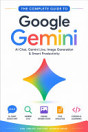
Learn how to use Google Gemini for AI conversations, writing, learning, research, image generation, voice interactions, Gemini Live, file analysis, Google app connections, Gems, productivity, privacy, security, and everyday tasks. A practical beginner-friendly guide for getting started with Gemini
Learn how to use Google Gemini for AI conversations, writing, learning, research, image generation, voice interactions, Gemini Live, file analysis, Google app connections, Gems, productivity, privacy, security, and everyday tasks. A practical beginner-friendly guide for getting started with Gemini
Discover more
Ratings and reviews
38 reviews

Balu G
- Flag inappropriate
October 14, 2026
Use the uploaded reference image as the exact identity and appearance reference for the seated person. Create an 11-second ultra-realistic cinematic stunt video. The person from the reference image is sitting calmly on a black folding chair in the middle of a dry, open field with dusty uneven ground. Preserve his exact face, identity, hairstyle, skin tone, body proportions and overall appearance from the reference image. He wears an all-black outfit and black sunglasses. He sits confidently with one leg crossed over the other, looking toward the camera. 0–3 seconds: The person is already seated and remains calm and still. Keep his pose, position, chair and appearance consistent. 3–6 seconds: A WHITE luxury SUV suddenly approaches from behind him at high speed, kicking up natural dust. 6–8 seconds: The SUV hits the uneven ground and jumps into the air, moving toward the camera at an impressive cinematic angle. Make the jump physically realistic with believable vehicle weight, suspension and tire movement. 8–9 seconds: The SUV lands naturally with visible suspension compression and realistic dust reacting to the impact. 9–11 seconds: The SUV continues past the seated person while dust spreads naturally across the ground. The person remains completely calm and seated in the same position. Keep the uploaded reference image as the primary identity reference for the person throughout the entire video. Photorealistic professional-camera footage, natural sunlight, realistic shadows, realistic dust particles, cinematic depth of field, subtle motion blur, realistic physics, detailed 4K quality. Keep the camera perspective, composition, environment and person’s position consistent throughout. No identity drift, no face changes, no body deformation, no pose changes, no extra people, no duplicate person, no changing clothes, no changing chair, no floating vehicle, no unrealistic physics, no scene changes, no text, no watermark, no CGI or cartoon appearance. Find Stock Photos

Sanjay Bhoi
- Flag inappropriate
October 15, 2026
vidio kaise banaye Google Gemenai s e

Sumona Pal
- Flag inappropriate
October 13, 2026
very nice
About the author
SAURABH AGRAWAL is an author who creates practical and easy-to-understand guides about modern applications, artificial intelligence, digital platforms, and everyday technology. His books are designed especially for beginners who want clear explanations without unnecessary technical complexity. Through his practical guides, he aims to help readers understand digital tools, discover useful features, improve their digital skills, and use modern technology with greater confidence and responsibility.
SAURABH AGRAWAL is an author who creates practical and easy-to-understand guides about modern applications, artificial intelligence, digital platforms, and everyday technology. His books are designed especially for beginners who want clear explanations without unnecessary technical complexity. Th...
Rate this ebook
Tell us what you think.
Reading information
Smartphones and tablets
Install the Google Play Books app for Android and iPad/iPhone. It syncs automatically with your account and allows you to read online or offline wherever you are.
Laptops and computers
You can listen to audiobooks purchased on Google Play using your computer's web browser.
eReaders and other devices
To read on e-ink devices like Kobo eReaders, you'll need to download a file and transfer it to your device. Follow the detailed Help Center instructions to transfer the files to supported eReaders.