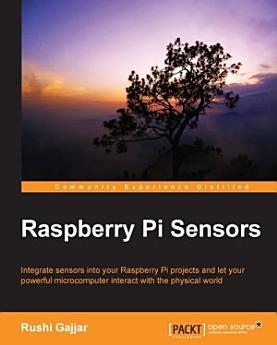
Raspberry Pi Sensors: Integrate sensors into your Raspberry Pi projects and let your powerful microcomputer interact with the physical world

· Packt Publishing Ltd
5 reviews
Ebook
192
Pages
Tools

About this ebook

Key Features
    Book DescriptionThis book is perfect for hardware enthusiasts who want to develop amazing projects using Raspberry Pi. Some knowledge and experience working with Linux, C, and Python is a plus, but once you're set up to go, you'll be ready to push the creative capabilities of your Raspberry Pi even further.What you will learn
      Who this book is for

      Key Features Book DescriptionThis book is perfect for hardware enthusiasts who want to develop amazing projects using Raspberry Pi. Some knowledge and experience working with Linux, C, and Python is a plus, but once you're set up to go, you'll be ready to push the creative capabilities of your Ra...

      Discover more

      Ratings and reviews

      5 reviews
      A Google user
      April 6, 2017
      This book is just a waste of money. I followed instructions in this book to play with my RaspberryPi, but many of them didn't work. Then, I had to Google it, then, following many online instructions (some of which worked while the others didn't). I bought this book with a hope that I could save time from Googling instructions for what I wanted to do with my Pi. However, it turned out that the book wasn't worth it. I want my money back if I could!
      3 people found this review helpful
      Did you find this helpful?
      A Google user
      October 9, 2015
      Raspberry pi sensors is a great source for those who want to learn or teach how to use sensors. The author gradually introduces the reader to electronics. Each chapter include the concepts necessary to understand not just how to wire/program the sensor but also explain how it works. Chapter 5 describes how to add an ADC (Analog to Digital) interface to the Raspberry Pi. Regardless if the reader decides not to build any of the other projects listed in the book, ADC project in chapter 5 is a most. ADC support expands your Raspberry PI device interface capabilities. There is one area partially addressed by the author. There are multiple references to I2C interface but no example how to communicate with I2C sensor and gather data sample
      Did you find this helpful?

      About the author

      Rushi Gajjar is an entrepreneur, embedded systems hardware developer and a lifetime electronics enthusiast. He works in the field of research and development of high-speed single-board embedded computers and wireless sensor nodes for the Internet of Things. Prior to that, his extensive work as a freelancer in the domain of electronics hardware design introduced him to rapid prototyping development boards and single board embedded computers such as the Raspberry Pi. In the spare time, he loves to develop the projects on Raspberry Pi including sensors, imaging, data logging, web-servers, and machine learning automation systems. He authored a DIY and hardware based book titled Raspberry Pi Sensors which takes deep dive in developing sensor interfacing based projects with Raspberry Pi. His vision encompasses connecting every entity in world to the Internet for enhancing the human living experience. https://www.linkedin.com/in/rushigajjarhttp://www.amazon.com/Raspberry-Pi-Sensors-Rushi-Gajjar/dp/1784393614/ref=sr_1_9?ie=UTF8&qid=1453884207&sr=8-9&keywords=raspberry+Pi+Sensorshttp://rushigajjar.blogspot.in/
      Rushi Gajjar is an entrepreneur, embedded systems hardware developer and a lifetime electronics enthusiast. He works in the field of research and development of high-speed single-board embedded computers and wireless sensor nodes for the Internet of Things. Prior to that, his extensive work as a ...

      Rate this ebook

      Tell us what you think.

      Reading information

      Smartphones and tablets
      Install the Google Play Books app for Android and iPad/iPhone. It syncs automatically with your account and allows you to read online or offline wherever you are.
      Laptops and computers
      You can listen to audiobooks purchased on Google Play using your computer's web browser.
      eReaders and other devices
      To read on e-ink devices like Kobo eReaders, you'll need to download a file and transfer it to your device. Follow the detailed Help Center instructions to transfer the files to supported eReaders.