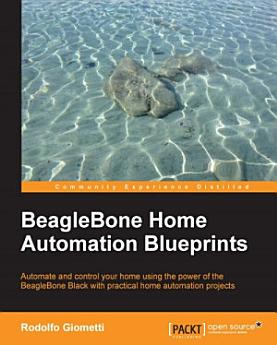
BeagleBone Home Automation Blueprints: Automate and control your home using the power of the BeagleBone Black with practical home automation projects

· Packt Publishing Ltd
8 reviews
Ebook
378
Pages
Tools

About this ebook

Automate and control your home using the power of the BeagleBone Black with practical home automation projectsKey Features
  • [*] Build, set up, and develop your circuits via step-by-step tutorial of practical examples, from initial board setup to device driver management
  • [*] Get access to several kinds of computer peripherals to monitor and control your domestic environment using this guide
  • [*] This book is spread across 10 chapters all focused on one practical home automation project
Book DescriptionBeagleBone is a microboard PC that runs Linux. It can connect to the Internet and can run OSes such as Android and Ubuntu. BeagleBone is used for a variety of different purposes and projects, from simple projects such as building a thermostat to more advanced ones such as home security systems. Packed with real-world examples, this book will provide you with examples of how to connect several sensors and an actuator to the BeagleBone Black. You’ll learn how to give access to them, in order to realize simple-to-complex monitoring and controlling systems that will help you take control of the house. You will also find software examples of implementing web interfaces using the classical PHP/HTML pair with JavaScript, using complex APIs to interact with a Google Docs account, WhatsApp, or Facebook. This guide is an invaluable tutorial if you are planning to use a BeagleBone Black in a home automation project. What you will learn
  • [*] Build a CO (and other gas) sensor with a buzzer/LED alarm to signal high concentrations
  • [*] Log environment data and plot it in a fancy manner
  • [*] Develop a simple web interface with a LAMP platform
  • [*] Prepare complex web interfaces in JavaScript and get to know how to stream video data from a webcam
  • [*] Use APIs to get access to a Google Docs account or a WhatsApp/Facebook account to manage a home automation system
  • [*] Add custom device drivers to manage an LED with different blinking frequencies
  • [*] Discover how to work with electronic components to build small circuits
  • [*] Use an NFS, temperature sensor, relays, and other peripherals to monitor and control your surroundings
Who this book is for

This book is for developers who know how to use BeagleBone and are just above the “beginner” level. If you want to learn to use embedded machine learning capabilities, you should have some experience of creating simple home automation projects.

Automate and control your home using the power of the BeagleBone Black with practical home automation projectsKey Features [*] Build, set up, and develop your circuits via step-by-step tutorial of practical examples, from initial board setup to device driver management [*] Get access to several k...

Discover more

Ratings and reviews

8 reviews
Vivo Y55
November 25, 2021
K8*Ik
Did you find this helpful?

About the author

Rodolfo Giometti is an engineer, IT specialist, GNU/Linux expert and software libre evangelist. He is the author of the books BeagleBone Essentials, BeagleBone Home Automation Blueprints and GNU/Linux Rapid Embedded Programming by Packt Publishing and maintainer of the LinuxPPS projects. He still actively contributes to the Linux source code with several patches and new device drivers for industrial applications devices. During his 20+ years of experience, he has worked on the x86, ARM, MIPS, and PowerPC-based platforms. Now, he is the co-chief at HCE Engineering S.r.l., where he designs new hardware and software systems for the quick prototyping in industry environment, control automation, and remote monitoring.
Rodolfo Giometti is an engineer, IT specialist, GNU/Linux expert and software libre evangelist. He is the author of the books BeagleBone Essentials, BeagleBone Home Automation Blueprints and GNU/Linux Rapid Embedded Programming by Packt Publishing and maintainer of the LinuxPPS projects. He still...

Rate this ebook

Tell us what you think.

Reading information

Smartphones and tablets
Install the Google Play Books app for Android and iPad/iPhone. It syncs automatically with your account and allows you to read online or offline wherever you are.
Laptops and computers
You can listen to audiobooks purchased on Google Play using your computer's web browser.
eReaders and other devices
To read on e-ink devices like Kobo eReaders, you'll need to download a file and transfer it to your device. Follow the detailed Help Center instructions to transfer the files to supported eReaders.