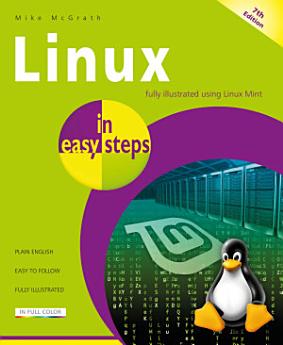
Linux in easy steps, 7th edition

· In Easy Steps
eBook
192
페이지
도구
적용 가능

eBook 정보

Now in its seventh edition, Linux in easy steps explains the Linux environment and how to get more out of this stable, as well as free, operating system. You’ll be able to download, install and customize Linux, and master the desktop, in no time. Then, explore the key Linux apps, including:

·        The LibreOffice suite: Writer (word processor), Calc (spreadsheet), Impress (presentation), Draw (drawing tool), and Base (database).

·        Firefox for browsing the web.

·        Thunderbird for exchanging emails.

·        GIMP, Pix, Celluloid, Hypnotix, and Rhythmbox media apps to edit photos and videos and to enjoy music and movies.

The final chapters show how to use the powerful Linux shell to communicate directly with the kernel at the very heart of Linux for total control.

This guide will open the door to the whole new world of digital possibilities using Linux. Ideal for Linux newbies!


Table of Contents

1.      Getting started

2.      Exploring the Desktop

3.      Setting Preferences

4.      Touring the File System

5.      Engaging the Internet

6.      Producing with Office

7.      Enjoying Media

8.      Using Accessories

9.      Commanding the Terminal

10.  Performing Operations

Now in its seventh edition, Linux in easy steps explains the Linux environment and how to get more out of this stable, as well as free, operating system. You’ll be able to download, install and customize Linux, and master the desktop, in no time. Then, explore the key Linux apps, including: · ...

콘텐츠 둘러보기

저자 정보

Mike McGrath gained his extensive knowledge of computer languages while working as a developer contracting to companies around the world. Mike is an established In Easy Steps author with several guides to his credit.

Mike McGrath gained his extensive knowledge of computer languages while working as a developer contracting to companies around the world. Mike is an established In Easy Steps author with several guides to his credit.

이 eBook 평가

의견을 알려주세요.

읽기 정보

스마트폰 및 태블릿
Android 및 iPad/iPhone용 Google Play 북 앱을 설치하세요. 계정과 자동으로 동기화되어 어디서나 온라인 또는 오프라인으로 책을 읽을 수 있습니다.
노트북 및 컴퓨터
컴퓨터의 웹브라우저를 사용하여 Google Play에서 구매한 오디오북을 들을 수 있습니다.
eReader 및 기타 기기
Kobo eReader 등의 eBook 리더기에서 읽으려면 파일을 다운로드하여 기기로 전송해야 합니다. 지원되는 eBook 리더기로 파일을 전송하려면 고객센터에서 자세한 안내를 따르세요.