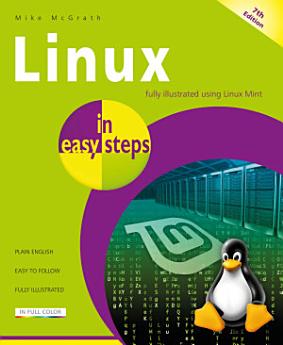
Linux in easy steps, 7th edition

· In Easy Steps
電子書籍
192
ページ
ツール
利用可能

この電子書籍について

Now in its seventh edition, Linux in easy steps explains the Linux environment and how to get more out of this stable, as well as free, operating system. You’ll be able to download, install and customize Linux, and master the desktop, in no time. Then, explore the key Linux apps, including:

·        The LibreOffice suite: Writer (word processor), Calc (spreadsheet), Impress (presentation), Draw (drawing tool), and Base (database).

·        Firefox for browsing the web.

·        Thunderbird for exchanging emails.

·        GIMP, Pix, Celluloid, Hypnotix, and Rhythmbox media apps to edit photos and videos and to enjoy music and movies.

The final chapters show how to use the powerful Linux shell to communicate directly with the kernel at the very heart of Linux for total control.

This guide will open the door to the whole new world of digital possibilities using Linux. Ideal for Linux newbies!


Table of Contents

1.      Getting started

2.      Exploring the Desktop

3.      Setting Preferences

4.      Touring the File System

5.      Engaging the Internet

6.      Producing with Office

7.      Enjoying Media

8.      Using Accessories

9.      Commanding the Terminal

10.  Performing Operations

Now in its seventh edition, Linux in easy steps explains the Linux environment and how to get more out of this stable, as well as free, operating system. You’ll be able to download, install and customize Linux, and master the desktop, in no time. Then, explore the key Linux apps, including: · ...

もっと見る

著者について

Mike McGrath gained his extensive knowledge of computer languages while working as a developer contracting to companies around the world. Mike is an established In Easy Steps author with several guides to his credit.

Mike McGrath gained his extensive knowledge of computer languages while working as a developer contracting to companies around the world. Mike is an established In Easy Steps author with several guides to his credit.

この電子書籍を評価する

ご感想をお聞かせください。

読書情報

スマートフォンとタブレット
Android や iPad / iPhone 用の Google Play ブックス アプリをインストールしてください。このアプリがアカウントと自動的に同期するため、どこでもオンラインやオフラインで読むことができます。
ノートパソコンとデスクトップ パソコン
Google Play で購入したオーディブックは、パソコンのウェブブラウザで再生できます。
電子書籍リーダーなどのデバイス
Kobo 電子書籍リーダーなどの E Ink デバイスで読むには、ファイルをダウンロードしてデバイスに転送する必要があります。サポートされている電子書籍リーダーにファイルを転送する方法について詳しくは、ヘルプセンターをご覧ください。