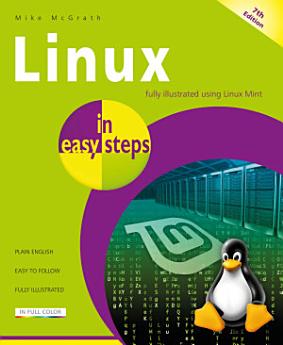
Linux in easy steps, 7th edition

· In Easy Steps
Rafbók
192
Síður
Verkfæri
Gjaldgeng

Um þessa rafbók

Now in its seventh edition, Linux in easy steps explains the Linux environment and how to get more out of this stable, as well as free, operating system. You’ll be able to download, install and customize Linux, and master the desktop, in no time. Then, explore the key Linux apps, including:

·        The LibreOffice suite: Writer (word processor), Calc (spreadsheet), Impress (presentation), Draw (drawing tool), and Base (database).

·        Firefox for browsing the web.

·        Thunderbird for exchanging emails.

·        GIMP, Pix, Celluloid, Hypnotix, and Rhythmbox media apps to edit photos and videos and to enjoy music and movies.

The final chapters show how to use the powerful Linux shell to communicate directly with the kernel at the very heart of Linux for total control.

This guide will open the door to the whole new world of digital possibilities using Linux. Ideal for Linux newbies!


Table of Contents

1.      Getting started

2.      Exploring the Desktop

3.      Setting Preferences

4.      Touring the File System

5.      Engaging the Internet

6.      Producing with Office

7.      Enjoying Media

8.      Using Accessories

9.      Commanding the Terminal

10.  Performing Operations

Now in its seventh edition, Linux in easy steps explains the Linux environment and how to get more out of this stable, as well as free, operating system. You’ll be able to download, install and customize Linux, and master the desktop, in no time. Then, explore the key Linux apps, including: · ...

Uppgötvaðu meira

Um höfundinn

Mike McGrath gained his extensive knowledge of computer languages while working as a developer contracting to companies around the world. Mike is an established In Easy Steps author with several guides to his credit.

Mike McGrath gained his extensive knowledge of computer languages while working as a developer contracting to companies around the world. Mike is an established In Easy Steps author with several guides to his credit.

Gefa þessari rafbók einkunn.

Segðu okkur hvað þér finnst.

Upplýsingar um lestur

Snjallsímar og spjaldtölvur
Settu upp forritið Google Play Books fyrir Android og iPad/iPhone. Það samstillist sjálfkrafa við reikninginn þinn og gerir þér kleift að lesa með eða án nettengingar hvar sem þú ert.
Fartölvur og tölvur
Hægt er að hlusta á hljóðbækur sem keyptar eru í Google Play í vafranum í tölvunni.
Lesbretti og önnur tæki
Til að lesa af lesbrettum eins og Kobo-lesbrettum þarftu að hlaða niður skrá og flytja hana yfir í tækið þitt. Fylgdu nákvæmum leiðbeiningum hjálparmiðstöðvar til að flytja skrár yfir í studd lesbretti.