About this ebook
Install fast. Browse safer. Finish more.
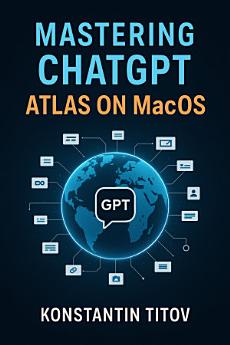
ChatGPT Atlas is OpenAI’s chat-first web browser for macOS, and this practical handbook shows you exactly how to put it to work—without fluff or guesswork. You’ll get step-by-step setup, clear privacy defaults, and repeatable workflows that turn reading into briefs, plans, and decisions you can share. Written for real users, this guide is among the first to cover Atlas end-to-end on macOS.
What you’ll master
Setup in minutes: download, sign in, import passwords/bookmarks/history, and tune the new-tab Ask Bar for speed.
Chat on the page: pin the sidebar to summarize sections, quote exact lines, compare sources, and copy clean citations.
Stay private by design: use Incognito, the site-level page-visibility toggle, and account-level Data Controls so Atlas only sees what you allow.
Browser Memories, on your terms: switch on when projects span days, then view, rename, archive, or delete entries.
Agent Mode, safely: let Atlas take routine actions with permission prompts, clear guardrails, and atomic goals you control.
Everyday power workflows: research briefs, competitor scans, shopping + cart plans, document digests, and action lists that stick.
Who this book is for
Students and researchers who want faster comprehension and better notes.
Professionals and creators who live in the browser and need reliable, source-grounded automation.
Team leads, admins, and parents who care about predictable privacy, sensible defaults, and safe use.
Inside the book
You’ll start by installing Atlas on macOS and importing your web life without breaking your current setup. Next you’ll learn the Ask Bar and on-page chat, then lock in a privacy posture with Incognito, page visibility, and Data Controls. You’ll turn Browser Memories into helpful recall instead of clutter, and run Agent Mode with tight boundaries that keep you in charge. Finally, you’ll put everything together with ready-to-use playbooks and a power-user toolkit of shortcuts, troubleshooting moves, and performance tips.
Why this guide
Clear, actionable, and current. Every feature is explained in plain language, with concrete steps and guardrails you can trust. If you’re ready to browse less and accomplish more, this is your fast start to mastering ChatGPT Atlas on macOS.