About this ebook
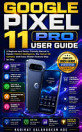
Getting a new device like the Google Pixel 11 can be incredibly frustrating if you aren't a technology expert. You might find yourself constantly asking a younger family member to fix things for you, or avoiding exciting new features altogether because you are afraid of tapping the wrong button and causing permanent damage.
GOOGLE PIXEL 11 USER GUIDE by Kudirat Salahudeen Ade is a step-by-step manual specifically designed to eliminate that tech anxiety. Instead of relying on technical jargon, this book uses a simple "Three-Tap Rule"—Find It, Try It, Trust It—to help you approach your unfamiliar device with total confidence.
Benefits
Effortless Setup: Learn the quickest and safest way to set up your device and transfer your old contacts, photos, and messages without losing a thing.
Master Gemini Intelligence: Discover how to use your phone's built-in assistant to summarize long text threads, translate languages, and automate everyday tasks using natural, plain language.
Capture Flawless Memories: Go beyond basic photography and learn how to use Magic Capture to perfectly freeze fast-moving moments, along with mastering Night Sight and Portrait mode.
Personalize for Comfort: Easily adjust your text size, enable one-handed mode, and set up accessibility tools like Live Caption to make your phone work seamlessly for your specific vision and hearing needs.
Solve Glitches Calmly: Follow simple troubleshooting steps to quickly fix frozen apps, battery drains, and Wi-Fi connection issues in under five minutes.
This time, you won't have to hand your phone to someone else to fix it. Buy your copy today and start mastering every feature of your Pixel 11!