About this ebook
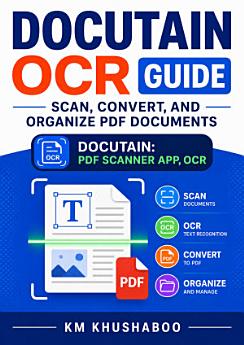
Docutain OCR Guide: Scan, Convert, and Organize PDF Documents is a practical guide to transforming paper files and images into searchable, well-organized digital documents. Whether you are a student, professional, small-business owner, researcher, or home administrator, this book explains how to use Docutain OCR to scan receipts, invoices, contracts, notes, forms, certificates, and other important records with greater speed and accuracy. Learn how optical character recognition (OCR) converts scanned pages into searchable and editable text, how to capture clear scans, and how to improve results when working with challenging documents. The guide also covers PDF creation, file conversion, document naming, folders, tags, search, storage, sharing, and everyday document-management workflows. Step-by-step guidance helps you build a reliable paperless system while reducing clutter and making essential information easier to find. Discover practical methods for organizing personal documents, managing business paperwork, digitizing archives, and protecting files through consistent storage and backup habits. With clear explanations and useful workflow ideas, Docutain OCR Guide helps readers move from scattered paper records to a more efficient digital document system. If you want to scan documents, convert images to PDF, extract text with OCR, organize digital files, and improve document productivity, this guide offers an accessible starting point for using Docutain effectively.
Docutain OCR Guide: Scan, Convert, and Organize PDF Documents is a practical guide to transforming paper files and images into searchable, well-organized digital documents. Whether you are a student, professional, small-business owner, researcher, or home administrator, this book explains how to ...
Discover more
About the author
KM Khushaboo writes practical technology guides that help readers simplify everyday digital tasks and work more efficiently. With a focus on document scanning, OCR, PDF conversion, and digital organization, the author presents accessible guidance for beginners and productivity-minded users. KM Khushaboo’s work is designed to make tools such as Docutain easier to understand and apply in personal, academic, and small-business workflows.
KM Khushaboo writes practical technology guides that help readers simplify everyday digital tasks and work more efficiently. With a focus on document scanning, OCR, PDF conversion, and digital organization, the author presents accessible guidance for beginners and productivity-minded users. KM Kh...
Rate this ebook
Tell us what you think.
Reading information
Smartphones and tablets
Install the Google Play Books app for Android and iPad/iPhone. It syncs automatically with your account and allows you to read online or offline wherever you are.
Laptops and computers
You can listen to audiobooks purchased on Google Play using your computer's web browser.
eReaders and other devices
To read on e-ink devices like Kobo eReaders, you'll need to download a file and transfer it to your device. Follow the detailed Help Center instructions to transfer the files to supported eReaders.