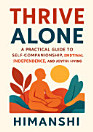
About this ebook
Struggling with accessibility features or complex screen controls? “Assistive Touch for Android: A Practical Guide to Easy Navigation, Accessibility, and One-Tap Control” by Himanshi is your step-by-step companion to mastering Android’s Assistive Touch capabilities for smoother, faster everyday use. Whether you’re managing mobility challenges, improving device navigation, or simplifying repeated actions, this practical guide shows you how to set up one-tap controls and create shortcuts that match your needs. Inside, you’ll learn how to enable and configure Assistive Touch, customize menus, and streamline actions such as returning home, opening notifications, adjusting volume, and using essential accessibility shortcuts. With clear explanations and beginner-friendly guidance, the book helps you understand key settings, troubleshoot common issues, and build a personalized control workflow. Designed for users, caregivers, and anyone supporting accessibility, this book focuses on real-world scenarios—so you can reduce screen taps, navigate with confidence, and make Android more comfortable to use. If you want accessible navigation that feels intuitive, efficient, and empowering, you’ll find the tools and techniques you need within these pages. Get started today and transform your Android experience with one-tap control and meaningful accessibility improvements.
Struggling with accessibility features or complex screen controls? “Assistive Touch for Android: A Practical Guide to Easy Navigation, Accessibility, and One-Tap Control” by Himanshi is your step-by-step companion to mastering Android’s Assistive Touch capabilities for smoother, faster everyday u...
Discover more
About the author
Himanshi is an accessibility-focused writer who creates clear, practical resources for Android users and their support networks. Driven by a commitment to inclusive technology, she explores everyday solutions that make navigation easier and control more intuitive. Her work emphasizes hands-on guidance, step-by-step setup, and helpful troubleshooting so readers can quickly benefit from assistive features. Through her writing, Himanshi aims to help people build confidence with their devices and create a more accessible digital experience.
Himanshi is an accessibility-focused writer who creates clear, practical resources for Android users and their support networks. Driven by a commitment to inclusive technology, she explores everyday solutions that make navigation easier and control more intuitive. Her work emphasizes hands-on gui...
Rate this ebook
Tell us what you think.
Reading information
Smartphones and tablets
Install the Google Play Books app for Android and iPad/iPhone. It syncs automatically with your account and allows you to read online or offline wherever you are.
Laptops and computers
You can listen to audiobooks purchased on Google Play using your computer's web browser.
eReaders and other devices
To read on e-ink devices like Kobo eReaders, you'll need to download a file and transfer it to your device. Follow the detailed Help Center instructions to transfer the files to supported eReaders.