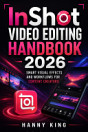
CapCut Pro 2026 User Guide: Master AI-Powered Video Editing, Advanced CapCut Pro Tools, Transitions, Effects, Motion Graphics, and Content Creation Strategies for YouTube, TikTok, Instagram, and Professional Production Workflows

Hanny King
1 review
Ebook
147
Pages
Eligible

About this ebook

Unlock the full power of modern video editing with CapCut Pro 2026 User Guide, the ultimate step-by-step handbook for mastering AI-powered video creation and professional editing workflows. Designed for beginners, content creators, marketers, and advanced editors, this comprehensive guide takes you deep into CapCut Pro’s most powerful tools and techniques used to create viral content on YouTube, TikTok, and Instagram.

Inside this book, you’ll learn how to edit videos like a professional using advanced CapCut Pro features, including transitions, effects, motion graphics, AI automation tools, and cinematic storytelling techniques. Whether you’re creating short-form social media content or high-quality long-form videos, this guide shows you how to streamline your workflow, enhance your creativity, and produce eye-catching videos that stand out in a crowded digital space.

You’ll also discover proven content creation strategies used by top influencers and digital marketers to grow audiences, increase engagement, and monetize video content effectively. From basic editing principles to advanced production techniques, every chapter is structured to help you build real-world skills that translate directly into professional results.

Perfect for content creators, social media managers, freelancers, and aspiring video editors, this book is your all-in-one resource for mastering CapCut Pro in 2026 and beyond. If you want to elevate your video editing game and stay ahead in the fast-moving world of digital content creation, this guide is your essential companion.

Unlock the full power of modern video editing with CapCut Pro 2026 User Guide, the ultimate step-by-step handbook for mastering AI-powered video creation and professional editing workflows. Designed for beginners, content creators, marketers, and advanced editors, this comprehensive guide takes y...

Discover more

Ratings and reviews

1 review

Rate this ebook

Tell us what you think.

Reading information

Smartphones and tablets
Install the Google Play Books app for Android and iPad/iPhone. It syncs automatically with your account and allows you to read online or offline wherever you are.
Laptops and computers
You can listen to audiobooks purchased on Google Play using your computer's web browser.
eReaders and other devices
To read on e-ink devices like Kobo eReaders, you'll need to download a file and transfer it to your device. Follow the detailed Help Center instructions to transfer the files to supported eReaders.