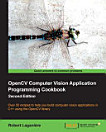
OpenCV 4 Computer Vision Application Programming Cookbook: Build complex computer vision applications with OpenCV and C++, Edition 4

· Packt Publishing Ltd
3 reviews
Ebook
494
Pages
Tools

About this ebook

Discover interesting recipes to help you understand the concepts of object detection, image processing, and facial detectionKey Features
  • Explore the latest features and APIs in OpenCV 4 and build computer vision algorithms
  • Develop effective, robust, and fail-safe vision for your applications
  • Build computer vision algorithms with machine learning capabilities
Book DescriptionOpenCV is an image and video processing library used for all types of image and video analysis. Throughout the book, you'll work with recipes to implement a variety of tasks. With 70 self-contained tutorials, this book examines common pain points and best practices for computer vision (CV) developers. Each recipe addresses a specific problem and offers a proven, best-practice solution with insights into how it works, so that you can copy the code and configuration files and modify them to suit your needs. This book begins by guiding you through setting up OpenCV, and explaining how to manipulate pixels. You'll understand how you can process images with classes and count pixels with histograms. You'll also learn detecting, describing, and matching interest points. As you advance through the chapters, you'll get to grips with estimating projective relations in images, reconstructing 3D scenes, processing video sequences, and tracking visual motion. In the final chapters, you'll cover deep learning concepts such as face and object detection. By the end of this book, you'll have the skills you need to confidently implement a range of computer vision algorithms to meet the technical requirements of your complex CV projects.What you will learn
  • Install and create a program using the OpenCV library
  • Segment images into homogenous regions and extract meaningful objects
  • Apply image filters to enhance image content
  • Exploit image geometry to relay different views of a pictured scene
  • Calibrate the camera from different image observations
  • Detect people and objects in images using machine learning techniques
  • Reconstruct a 3D scene from images
  • Explore face detection using deep learning
Who this book is for

If you’re a CV developer or professional who already uses or would like to use OpenCV for building computer vision software, this book is for you. You’ll also find this book useful if you’re a C++ programmer looking to extend your computer vision skillset by learning OpenCV.

Discover interesting recipes to help you understand the concepts of object detection, image processing, and facial detectionKey Features Explore the latest features and APIs in OpenCV 4 and build computer vision algorithms Develop effective, robust, and fail-safe vision for your applications Buil...

Discover more

Ratings and reviews

3 reviews
Amr Esam
October 16, 2019
If you can go throw open cv documentation, ignore this book, also images are pretty much bad, you can say no images at all!
1 person found this review helpful
Did you find this helpful?
Eva
February 9, 2026
As someone with professional experience as C++ programmer writing their dissertation on a topic which requires me to implement some computer vision aspects, I find this book to be incredibly detailed and helpful. Not only is the theory well covered, but examples of manual implementation and library functions are given. You do not need to know anything about Computer Vision to use what is in this book. Everything gets explained.
Did you find this helpful?

About the author

David Millán Escrivá was 8 years old when he wrote his first program on an 8086 PC in Basic, which enabled the 2D plotting of basic equations. In 2005, he finished his studies in IT with honors, through the Universitat Politécnica de Valencia, in human-computer interaction supported by computer vision with OpenCV (v0.96). He has worked with Blender, an open source, 3D software project, and on its first commercial movie, Plumiferos, as a computer graphics software developer. David has more than 10 years' experience in IT, with experience in computer vision, computer graphics, pattern recognition, and machine learning, working on different projects, and at different start-ups, and companies. He currently works as a researcher in computer vision.

Robert Laganiere is a professor at the School of Electrical Engineering and Computer Science of the University of Ottawa, Canada. He is also a faculty member of the VIVA research lab and is the co-author of several scientific publications and patents in content based video analysis, visual surveillance, driver-assistance, object detection, and tracking. Robert authored the OpenCV2 Computer Vision Application Programming Cookbook in 2011 and co-authored Object Oriented Software Development published by McGraw Hill in 2001. He co-founded Visual Cortek in 2006, an Ottawa-based video analytics start-up that was later acquired by iwatchlife.com in 2009. He is also a consultant in computer vision and has assumed the role of Chief Scientist in a number of start-up companies such as Cognivue Corp, iWatchlife, and Tempo Analytics. Robert has a Bachelor of Electrical Engineering degree from Ecole Polytechnique in Montreal (1987) and MSc and PhD degrees from INRS-Telecommunications, Montreal (1996). You can visit the author's website at laganiere.name.

David Millán Escrivá was 8 years old when he wrote his first program on an 8086 PC in Basic, which enabled the 2D plotting of basic equations. In 2005, he finished his studies in IT with honors, through the Universitat Politécnica de Valencia, in human-computer interaction supported by computer v...

Rate this ebook

Tell us what you think.

Reading information

Smartphones and tablets
Install the Google Play Books app for Android and iPad/iPhone. It syncs automatically with your account and allows you to read online or offline wherever you are.
Laptops and computers
You can listen to audiobooks purchased on Google Play using your computer's web browser.
eReaders and other devices
To read on e-ink devices like Kobo eReaders, you'll need to download a file and transfer it to your device. Follow the detailed Help Center instructions to transfer the files to supported eReaders.