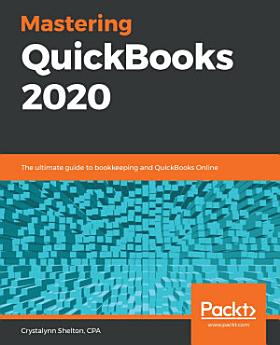
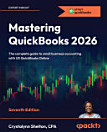
Mastering QuickBooks 2020: The ultimate guide to bookkeeping and QuickBooks Online

· Packt Publishing Ltd
2 reviews
Ebook
332
Pages
Tools

About this ebook

Get up to speed with QuickBooks Online 2020 for financial management and bookkeepingKey Features
  • Create a dashboard that highlights your company’s financial activity and status upon login
  • Manage customers, vendors, and products and services seamlessly with QuickBooks
  • Explore special transactions such as recurring transactions, managing fixed assets, setting up loans, and recording bad debts
Book DescriptionIntuit QuickBooks is an accounting software package that helps small business owners to manage all their bookkeeping tasks. Its complete range of accounting capabilities, such as tracking income and expenses, managing payroll, simplifying taxes, and accepting online payments, makes QuickBooks software a must-have for business owners and aspiring bookkeepers. This book is a handy guide to using QuickBooks Online to manage accounting tasks and drawing business insights by generating reports easily. Using a fictitious company, the book demonstrates how to create a QuickBooks Online account; customize key settings for a business; manage customers, vendors, and products and services; generate reports; and close the books at the end of the period. QuickBooks records your debits and credits, so you don't need to learn accounting. However, you will find out what happens under the hood and understand how your financial statements are impacted by what you do in QuickBooks. You'll also discover tips, shortcuts, and best practices that will help you save time and become a QuickBooks pro. By the end of this book, you'll have become well-versed with the features of QuickBooks and be able to set up your business and manage all bookkeeping tasks with ease.What you will learn
  • Get to grips with bookkeeping concepts and the typical bookkeeping and accounting cycle
  • Set up QuickBooks for both product-based and service-based businesses
  • Track everything, from billable and non-billable time and expenses to profit
  • Generate key financial reports for accounts, customers, jobs, and invoice items
  • Understand the complete payroll process and track payments made to 1099 contractors
  • Manage various bank and credit accounts linked to your business
Who this book is for

If you’re a small business owner, bookkeeper, or accounting student who wants to learn how to make the most of QuickBooks Online, this book is for you. Business analysts, data analysts, managers, and professionals working in bookkeeping, and QuickBooks accountants will also find this guide useful. No experience with QuickBooks Online is required to get started; however, some bookkeeping knowledge will be helpful.

Get up to speed with QuickBooks Online 2020 for financial management and bookkeepingKey Features Create a dashboard that highlights your company’s financial activity and status upon login Manage customers, vendors, and products and services seamlessly with QuickBooks Explore special transactions ...

Discover more

Ratings and reviews

2 reviews

About the author

Crystalynn Shelton is a CPA and an Advanced QuickBooks ProAdvisor. She has managed accounting teams at Fortune 500 companies such as Texaco and Paramount Pictures, operated her own bookkeeping and payroll practice for 10 years, and spent another three years at Intuit (QuickBooks) as a senior learning specialist. She is the author of the Amazon bestseller series Mastering QuickBooks, now in its seventh edition. She serves as an adjunct instructor at UCLA Extension, teaching accounting, bookkeeping, and QuickBooks to numerous small business owners and accounting students for 14 years. She holds an accounting degree from the University of Texas, Arlington. In 2022, she was recognized as one of the Top 100 ProAdvisors in the United States.
Crystalynn Shelton is a CPA and an Advanced QuickBooks ProAdvisor. She has managed accounting teams at Fortune 500 companies such as Texaco and Paramount Pictures, operated her own bookkeeping and payroll practice for 10 years, and spent another three years at Intuit (QuickBooks) as a senior lear...

Rate this ebook

Tell us what you think.

Reading information

Smartphones and tablets
Install the Google Play Books app for Android and iPad/iPhone. It syncs automatically with your account and allows you to read online or offline wherever you are.
Laptops and computers
You can listen to audiobooks purchased on Google Play using your computer's web browser.
eReaders and other devices
To read on e-ink devices like Kobo eReaders, you'll need to download a file and transfer it to your device. Follow the detailed Help Center instructions to transfer the files to supported eReaders.