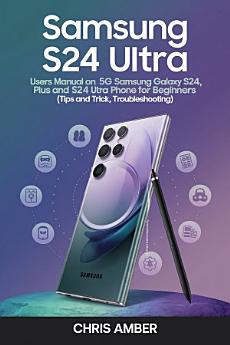
Samsung S24 Ultra: Users Manual On 5G Samsung Galaxy S24, S24 Plus and S24 Ultra phone for Beginners and Seniors (Tips and Trick, Troubleshooting)
About this ebook
Explore thorough chapters that go over every feature of your Samsung Galaxy S24 Ultra. Discover how to get the most out of your camera, extend the life of your battery, and become an expert at connecting your devices seamlessly. Regardless of your level of knowledge with technology, this book provides insightful analysis and helpful advice to improve your user experience.
You will not only learn how to use it for basic functions like making calls and sending messages, but you will also learn about more sophisticated capabilities like configuring digital wellbeing, setting up your camera and taking pictures, configuring the new Galaxy AI features, and much more. Whatever your degree of experience,
This handbook explains how to: Adjust different camera settings; Take pictures and videos with an S24, S24 Plus, or S24 ultra; Edit; Apply artistic effects; and Create spectacular photo adjustments on your device.
If you're a senior or new to Samsung and want to get the most out of your smartphone in terms of images and videos, it will also help you achieve all of these objectives and more.
This is only a sample of the tech gems that are in store for you:
· Learn the art of magic: Learn how to retouch photos with AI, take notes with superpowers, and use zoom to bring distant items closer than before. Release your inner artist and become a master at capturing breathtaking moments.
· Introducing Bixby, your amiable assistant: Do you need to send a message, call someone, or ask a question? Your technological companion, Bixby is ready to answer your calls, send you texts, and even perform real-time language translations.
· Mastering multitasking: You can store personalized layouts, resize windows, and open numerous apps at once. Become an efficient worker and experience a surge in productivity.
· Eliminate lostness: Learn how to use the menu bar, status bar icons, and touch screen gestures with our concise tutorials.
· Customize your environment: Authentically make the Galaxy S24 your own. You may customize your home and lock screens by selecting unique noises, vibrations, and a lovely display.
· Establish a connection and share: Make use of the Phone, Contacts, and Messaging apps to stay in touch with your loved ones. No matter how far away you are, you can easily text, call, and chat and feel closer than ever.
· Capture moments expertly: Learn how to use the camera app, focus well, and experiment with different settings like Portrait, Pro, and Night. • Organize and relive: Use the Gallery app to view images and videos, make albums, and even sync your data across devices.
· Have fun with augmented reality by creating amusing stickers, doodles, and Emojis in the AR Zone. Play around with your imagination and enjoy some tech-enabled entertainment!
· Increase output: Use useful tools like PENUP and My Files to organize your files, calendar, and reminders.
· Samsung apps to come to your aid: Learn about useful apps like as Wallet, Pay, Health, Notes, Members, and Kids, as well as Samsung Internet. Discover the ideal app for any purpose, including money management and maintaining your health.
· Simplified printing: Print from applications, set up printers, and even print emails, calendar entries, and documents.
· Become an expert with Google Chrome: Install Chrome, set it as your default browser, manage your account, and personalize your online experience. Browse the internet with ease.
· Security and privacy come first: Features like Samsung Pass, Secure Folder, Secure Wi-Fi, face and fingerprint recognition, and location settings help keep your data safe.
Acquire your copy of the book right away to fully utilize the potential of your Samsung S24 Ultra and start your journey to being an authority on smartphones!
Discover more
Ratings and reviews

- Flag inappropriate

- Flag inappropriate
About the author
Meet Chris Amber, the energetic writer behind "EnergyCyclist Publishing" who specializes in technology and gadget books. His love of dissecting the intricacies of modern technology has made him a respected authority in the area.
Background: Chris was eager to learn about the complex world of technology when he first started his adventure into it. Equipped with a technical studies degree, he immersed himself in the rapidly changing field of innovation, aiming to provide both enthusiasts and inquisitive minds with an understanding of the newest devices and technological breakthroughs.
Expertise: Chris has a deep understanding of the rapidly changing technology sector and focuses on producing incisive and easily understood material that helps users understand complicated technological ideas. His skill is not just in breaking down the technical nuances but also in turning them into captivating stories that appeal to a wide range of people.
Enthusiasm for Gadgets: Chris's passion for gadgets comes through in everything he writes. He enthusiastically navigates the fast-paced world of innovation, covering everything from wearables to smartphones to cutting-edge tech trends, making sure his readers stay educated and empowered in an era of rapid technological progress.
Highlights of Publications: Chris Amber is the author of several critically acclaimed books that explore various facets of technology and gadgets. His books are guides that lead readers on a thrilling voyage through the intriguing nexus of human life and technical growth, not just manuals.
Philosophy: Chris Amber is an advocate for universal access to technology. His writing style is centered on dissecting difficult ideas into manageable chunks so that his audience feels empowered and understood. In his view, technology is more than just a collection of devices; rather, it is a revolutionary force that is changing the way people interact with one another, live, and work.
Innovation Advocate: Chris regularly participates in the tech community outside of his writing career. He attends conferences and keeps up with the latest developments in technology. His dedication to staying current guarantees that his readers get the most up-to-date and pertinent information.
Chris Amber's books are portals to a future in which technology improves our lives rather than just being books about gadgets. Having a keen sense of creativity, Chris never stops motivating and educating others, which makes him a highly sought-after contributor to the field of technical writing.