About this ebook
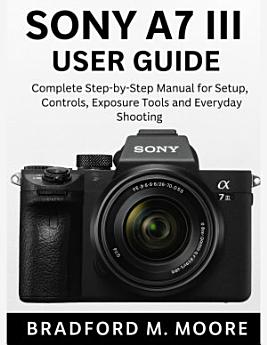
The Sony A7 III is a powerful full-frame camera, but its menu system, features, and advanced tools can feel intimidating. This user-friendly guide breaks everything down into clear explanations, practical examples, and simple instructions that anyone can follow. No jargon. No guesswork. Just results.
Inside, you’ll discover a complete roadmap that takes you from your first setup to shooting with confidence. Every chapter is crafted to save you time, avoid common mistakes, and help you capture photos and videos that genuinely stand out.
What makes this guide different is its clarity, organization, and real-world simplicity. Each feature is explained in plain language, using familiar examples, helpful illustrations, and practical tips you can apply immediately.
HERE’S WHAT YOU’LL LEARN INSIDE:
🚀 How to set up your A7 III correctly from day one.
🚀 Essential controls and what each button on the camera really does.
🚀 The fastest ways to navigate menus and customize the camera to your style.
🚀 How to use autofocus modes for portraits, action, and low light.
🚀 Step-by-step exposure training for crisp, bright, and accurate shots.
🚀 Mastering ISO, shutter speed, and aperture without confusion.
🚀 How to shoot stunning 4K video with clean, clear settings.
🚀 Smart focusing tricks for moving subjects and fast scenes.
🚀 Professional shortcuts to speed up your shooting workflow.
🚀 How to choose the right shooting mode for any situation.
🚀 White balance tips for natural, accurate colors.
🚀 How to use Picture Profiles and creative styles effectively.
🚀 Best settings for portraits, landscapes, travel, and everyday use.
🚀 Memory card setup, storage tips, and file management.
🚀 Wi-Fi and smartphone connection for quick transfers.
🚀 Power-saving settings to extend battery life.
🚀 Troubleshooting fixes for common A7 III issues.
🚀 Recommended accessories and lens suggestions.
🚀 Practical shooting templates you can copy instantly.
If you want to capture photos and videos you’ll be proud of, this is your complete companion to mastering the Sony A7 III.
Take control of your camera. Take control of your creativity. Get your copy now and start shooting with confidence today.
DISCLAIMER: This book is an independent publication and is not affiliated with, endorsed, authorized, or sponsored by Sony. All trademarks and product names are the property of their respective owners.