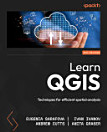
Learn QGIS: Your step-by-step guide to the fundamental of QGIS 3.4, Edition 4

· Packt Publishing Ltd
Ebook
272
Pages
Tools

About this ebook

Learn to view, edit and analyse geospatial data using QGIS and Python 3Key Features
  • Leverage the power of QGIS to add professionalism to your maps
  • Explore and work with the newly released features like Python 3, GeoPackage, 3D views, Print layouts in QGIS 3.4
  • Build your own plugins and customize maps using QT designer
Book DescriptionQGIS 3.4 is the first LTR (long term release) of QGIS version 3. This is a giant leap forward for the project with tons of new features and impactful changes. Learn QGIS is fully updated for QGIS 3.4, covering its processing engine update, Python 3 de-facto coding environment, and the GeoPackage format. This book will help you get started on your QGIS journey, guiding you to develop your own processing pathway. You will explore the user interface, loading your data, editing, and then creating data. QGIS often surprises new users with its mapping capabilities; you will discover how easily you can style and create your first map. But that’s not all! In the final part of the book, you’ll learn about spatial analysis and the powerful tools in QGIS, and conclude by looking at Python processing options. By the end of the book, you will have become proficient in geospatial analysis using QGIS and Python. What you will learn
  • Explore various ways to load data into QGIS
  • Understand how to style data and present it in a map
  • Create maps and explore ways to expand them
  • Get acquainted with the new processing toolbox in QGIS 3.4
  • Manipulate your geospatial data and gain quality insights
  • Understand how to customize QGIS 3.4
  • Work with QGIS 3.4 in 3D
Who this book is for

If you are a developer or consultant familiar with the basic functions and processes of GIS and want to learn how to use QGIS to analyze geospatial data and create rich mapping applications, this book is for you. You’ll also find this book useful if you’re new to QGIS and wish to grasp its fundamentals

Learn to view, edit and analyse geospatial data using QGIS and Python 3Key Features Leverage the power of QGIS to add professionalism to your maps Explore and work with the newly released features like Python 3, GeoPackage, 3D views, Print layouts in QGIS 3.4 Build your own plugins and customize ...

Discover more

About the author

Andrew Cutts holds a geography degree and a masters degree in GIS and has almost 20 years of experience in working with geospatial technology. He currently works as a freelance geospatial consultant. He has worked in local government, large multinational companies, and small and medium-sized enterprises. He has run a geospatial blog for almost 3 years and is a co-host of the #scenefromabove podcast. Andrew has spoken at events worldwide on GIS and Earth observation. He is a keen user of Python, especially for rapid prototyping for geospatial challenges. Currently, he is working with clients to maximize their investment with geospatial technology through direct consulting, training, and technical writing.

Anita Graser is a spatial data scientist, open source GIS advocate, and author with a background in geographic information science. She is currently working with the Center for Mobility Systems at the Austrian Institute of Technology in Vienna and teaching QGIS classes at UNIGIS Salzburg. She serves on the QGIS project steering committee. and has published several books about QGIS. Furthermore, she develops tools, such as the Time Manager plugin for QGIS.
Andrew Cutts holds a geography degree and a masters degree in GIS and has almost 20 years of experience in working with geospatial technology. He currently works as a freelance geospatial consultant. He has worked in local government, large multinational companies, and small and medium-sized ente...

Rate this ebook

Tell us what you think.

Reading information

Smartphones and tablets
Install the Google Play Books app for Android and iPad/iPhone. It syncs automatically with your account and allows you to read online or offline wherever you are.
Laptops and computers
You can listen to audiobooks purchased on Google Play using your computer's web browser.
eReaders and other devices
To read on e-ink devices like Kobo eReaders, you'll need to download a file and transfer it to your device. Follow the detailed Help Center instructions to transfer the files to supported eReaders.