About this ebook
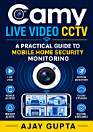
Get the most from your CamHipro security camera with this practical, easy-to-follow user guide. CamHipro User Guide: Setup, Live Viewing, Playback, and Troubleshooting walks you through the essential steps for installing and using the CamHipro app and compatible camera systems, whether you are setting up your first device or improving an existing home security setup. Learn how to connect your camera, configure essential settings, access live video, adjust monitoring preferences, and review recorded footage. The guide also explains common features such as motion alerts, remote viewing, video playback, storage options, and account or network settings in clear, straightforward language. Step-by-step troubleshooting guidance helps you diagnose frequent problems, including connection failures, offline cameras, login difficulties, poor video performance, recording issues, and notification errors. Designed for beginners and everyday users, this CamHipro manual avoids unnecessary technical jargon and focuses on practical solutions you can apply immediately. Use it as a quick reference during installation or as an ongoing companion for managing your security camera system. Whether you want to monitor your home, office, entryway, pets, or property remotely, this guide helps you use CamHipro confidently and efficiently. Improve your camera setup, simplify live surveillance, find important recordings, and resolve common issues with a reliable CamHipro troubleshooting and operation guide.
Get the most from your CamHipro security camera with this practical, easy-to-follow user guide. CamHipro User Guide: Setup, Live Viewing, Playback, and Troubleshooting walks you through the essential steps for installing and using the CamHipro app and compatible camera systems, whether you are se...
Discover more
About the author
Ajay Gupta is a practical technology writer focused on creating clear, accessible user guides for everyday devices and digital tools. His work helps readers understand setup procedures, app features, remote monitoring, playback functions, and troubleshooting without unnecessary technical jargon. Through concise, step-by-step explanations, Ajay Gupta makes technology more approachable for home, office, and personal security users. His CamHipro guide is designed to help readers install, operate, and maintain their camera systems with confidence.
Ajay Gupta is a practical technology writer focused on creating clear, accessible user guides for everyday devices and digital tools. His work helps readers understand setup procedures, app features, remote monitoring, playback functions, and troubleshooting without unnecessary technical jargon. ...
Rate this ebook
Tell us what you think.
Reading information
Smartphones and tablets
Install the Google Play Books app for Android and iPad/iPhone. It syncs automatically with your account and allows you to read online or offline wherever you are.
Laptops and computers
You can listen to audiobooks purchased on Google Play using your computer's web browser.
eReaders and other devices
To read on e-ink devices like Kobo eReaders, you'll need to download a file and transfer it to your device. Follow the detailed Help Center instructions to transfer the files to supported eReaders.