About this ebook
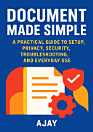
Take control of your digital safety with Clean Master Ultra Security Made Simple—an easy, practical, unofficial guide by Ajay designed to help you set up, optimize, and use Clean Master Ultra with confidence. If you’ve ever wondered how to improve privacy, reduce unnecessary permissions, speed up everyday performance, or resolve confusing settings and notifications, this book walks you through it step by step. Inside, you’ll find clear, beginner-friendly instructions for getting the most out of Clean Master Ultra’s security and privacy features, including sensible setup recommendations, everyday usage tips, and troubleshooting guidance for common issues users face after updates or configuration changes. You’ll learn how to interpret what the app is doing, spot potential misconfigurations, and apply practical privacy habits that align with real-world smartphone usage. Written for readers who want straightforward answers without technical overwhelm, this guide focuses on outcomes: safer browsing and app behavior, better permission management, smoother performance, and faster recovery when something goes wrong. Whether you’re a new user looking for a reliable starting point or an experienced user who wants cleaner workflows and fewer surprises, you’ll be able to make smart security choices in minutes—not days. Secure your phone, protect your privacy, and master Clean Master Ultra with this practical companion.
Take control of your digital safety with Clean Master Ultra Security Made Simple—an easy, practical, unofficial guide by Ajay designed to help you set up, optimize, and use Clean Master Ultra with confidence. If you’ve ever wondered how to improve privacy, reduce unnecessary permissions, speed up...
Discover more
About the author
Ajay is a tech-focused writer and practical guide author with a passion for helping everyday users make smarter choices about digital privacy and device security. Drawing on common real-world troubleshooting patterns and user workflows, Ajay explains complex settings in clear, approachable language. This book reflects Ajay’s commitment to making mobile safety more accessible—turning “security features” into actionable steps you can use immediately. Whether you’re setting up for the first time or refining your routine, Ajay’s guidance aims to help you feel informed, confident, and in control.
Ajay is a tech-focused writer and practical guide author with a passion for helping everyday users make smarter choices about digital privacy and device security. Drawing on common real-world troubleshooting patterns and user workflows, Ajay explains complex settings in clear, approachable langua...
Rate this ebook
Tell us what you think.
Reading information
Smartphones and tablets
Install the Google Play Books app for Android and iPad/iPhone. It syncs automatically with your account and allows you to read online or offline wherever you are.
Laptops and computers
You can listen to audiobooks purchased on Google Play using your computer's web browser.
eReaders and other devices
To read on e-ink devices like Kobo eReaders, you'll need to download a file and transfer it to your device. Follow the detailed Help Center instructions to transfer the files to supported eReaders.