
Voice Recorder Audio Sound MP3
Contains adsIn-app purchases

star
98.1K reviews

Everyone
info
10M+
Downloads

Everyone
Learn more


About this app
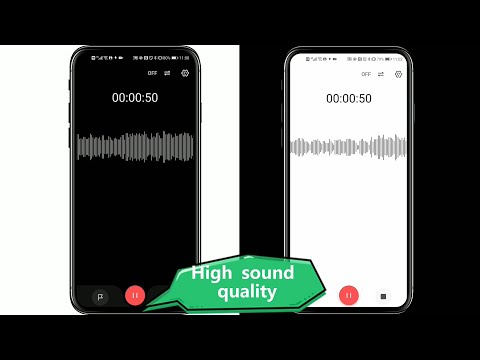
🥇Super Recorder - Record meetings, lectures, interviews, voice notes, music ideas, and creative projects with a professional voice recorder built for more than basic audio capture.
Super Recorder combines high-quality audio recording, offline speech-to-text, AI summaries, audio editing, voice effects, and content creation in one app. Capture clear sound, turn speech into organized text, review key information, and create finished audio without switching between multiple tools.
🎙️Professional voice recording
Record a quick voice memo, a full lecture, an interview, or a creative performance with flexible recording controls.
• Record audio in the background
• Reduce background noise and enhance voices
• Choose mono or stereo recording
• Record with Bluetooth headsets
• Add markers at important moments
• Schedule recordings to start and stop automatically
• Record your voice while playing background music
• Add tags to organize meetings, classes, and other recordings
• Export audio in MP3, AAC, M4A, WAV, and other formats
📝Speech-to-text
Convert recordings into editable text.
• Transcribe speech in real time while recording
• Import audio and video files for transcription
• Use offine transcription and Google transcription
• Edit, export, and share completed transcripts
🧑🏼💻Speaker identification
Make conversations easier to review by automatically separating different speakers.
• Identify speakers in meetings, interviews, and discussions
• Rename speakers when needed
• Correct incorrectly identified speaker segments
• Adjust the speaking time range
🗒AI summaries and translation
• Generate summaries from completed transcripts
• Choose from multiple summary templates
• Extract key points from meetings, classes, and interviews
• Translate transcripts across 59 languages
• Edit text before exporting or sharing
✨Creation Mode
Turn a script, idea, or performance into a finished audio project.
• Upload or paste a script
• Record while following your text
• Add markers, sound effects, and background music
• Adjust voice and music volume
• Insert a new recording at a selected point
• Trim and arrange recorded sections
• Export the completed project
Creation Mode is suitable for voice-overs, podcasts, presentations, spoken content, personal projects, and music ideas.
🤡Voice changer and effects
Use voice effects while recording or apply them to an existing recording.
After speaker identification is complete, you can select one speaker and change only that person’s voice.
✂️Audio editing tools
Prepare recordings without moving them to another audio editor.
• Trim unwanted sections
• Adjust recording volume
• Convert video to audio
• Change playback speed with or without changing pitch
• Save and share edited audio in multiple formats
📍Smarter playback
• Skip silent sections automatically
• Repeat a selected part of the recording
• Play audio from 0.5x to 3x speed
• Jump directly to saved markers
💯Organize and protect your recordings
• Organize files with tags and categories
• Find important moments with markers
• Lock sensitive recordings with a password
• Choose whether to keep files only on your device or enable cloud backup
🎙Built for real recording needs
Use Super Recorder for:
• Meetings and meeting notes
• Lectures, classes, and study review
• Interviews and research
• Voice memos and personal ideas
• Dictation and speech-to-text
• Voice-overs and spoken content
• Music practice and creative recording
• Audio editing and video-to-audio conversion
From the first recording to the final transcript or audio project, Super Recorder gives you a practical way to record, transcribe, summarize, edit, organize, and share your work.
Privacy Policy: https://static.hlxmf.com/superrecorder/privacy/gp_index.html?lang=en
Terms of Service: https://static.hlxmf.com/superrecorder/tos/gp_index.html
Super Recorder combines high-quality audio recording, offline speech-to-text, AI summaries, audio editing, voice effects, and content creation in one app. Capture clear sound, turn speech into organized text, review key information, and create finished audio without switching between multiple tools.
🎙️Professional voice recording
Record a quick voice memo, a full lecture, an interview, or a creative performance with flexible recording controls.
• Record audio in the background
• Reduce background noise and enhance voices
• Choose mono or stereo recording
• Record with Bluetooth headsets
• Add markers at important moments
• Schedule recordings to start and stop automatically
• Record your voice while playing background music
• Add tags to organize meetings, classes, and other recordings
• Export audio in MP3, AAC, M4A, WAV, and other formats
📝Speech-to-text
Convert recordings into editable text.
• Transcribe speech in real time while recording
• Import audio and video files for transcription
• Use offine transcription and Google transcription
• Edit, export, and share completed transcripts
🧑🏼💻Speaker identification
Make conversations easier to review by automatically separating different speakers.
• Identify speakers in meetings, interviews, and discussions
• Rename speakers when needed
• Correct incorrectly identified speaker segments
• Adjust the speaking time range
🗒AI summaries and translation
• Generate summaries from completed transcripts
• Choose from multiple summary templates
• Extract key points from meetings, classes, and interviews
• Translate transcripts across 59 languages
• Edit text before exporting or sharing
✨Creation Mode
Turn a script, idea, or performance into a finished audio project.
• Upload or paste a script
• Record while following your text
• Add markers, sound effects, and background music
• Adjust voice and music volume
• Insert a new recording at a selected point
• Trim and arrange recorded sections
• Export the completed project
Creation Mode is suitable for voice-overs, podcasts, presentations, spoken content, personal projects, and music ideas.
🤡Voice changer and effects
Use voice effects while recording or apply them to an existing recording.
After speaker identification is complete, you can select one speaker and change only that person’s voice.
✂️Audio editing tools
Prepare recordings without moving them to another audio editor.
• Trim unwanted sections
• Adjust recording volume
• Convert video to audio
• Change playback speed with or without changing pitch
• Save and share edited audio in multiple formats
📍Smarter playback
• Skip silent sections automatically
• Repeat a selected part of the recording
• Play audio from 0.5x to 3x speed
• Jump directly to saved markers
💯Organize and protect your recordings
• Organize files with tags and categories
• Find important moments with markers
• Lock sensitive recordings with a password
• Choose whether to keep files only on your device or enable cloud backup
🎙Built for real recording needs
Use Super Recorder for:
• Meetings and meeting notes
• Lectures, classes, and study review
• Interviews and research
• Voice memos and personal ideas
• Dictation and speech-to-text
• Voice-overs and spoken content
• Music practice and creative recording
• Audio editing and video-to-audio conversion
From the first recording to the final transcript or audio project, Super Recorder gives you a practical way to record, transcribe, summarize, edit, organize, and share your work.
Privacy Policy: https://static.hlxmf.com/superrecorder/privacy/gp_index.html?lang=en
Terms of Service: https://static.hlxmf.com/superrecorder/tos/gp_index.html
Professional voice recorder, voice memo, audio transcription! Good sound quality
Updated on
Events & offers

Featured stories

Safety starts with understanding how developers collect and share your data. Data privacy and security practices may vary based on your use, region, and age. The developer provided this information and may update it over time.


Ratings and reviews
94.1K reviews

rotospace
- Flag inappropriate
March 13, 2024
You know how sometimes you can just tell something is awesome before you even use it? Well that's the case with this voice recorder. What a cool, seamless installation process. What a fair, easy yearly pricing plan - what a nice list of features it offers right @ no added cost. I rarely purchase something before I even use it, but $20 for the year is a fantastic deal. I just upgraded my phone & the voice recorders I had previously never updated & one is not compatible. Instant: ⭐⭐⭐⭐⭐
748 people found this review helpful
Video Screen Recorder, Voice Audio Editor, Cut MP3
April 30, 2024
Hi, thank you and have a nice day!💖

Joshua Cavender
- Flag inappropriate
September 20, 2021
I have been using this app for daily recording for almost a year. I had been using the free version just to record, trim, and post. All of that was great until the last month or so when adds started popping up after everything you do. After you save a recording there is an add, before and after trimming or posting there are adds. I understand adds, but the app just went from being useful to being annoying. So, I gave this app 3 stars for the great app burdened by too many adds.
227 people found this review helpful
Video Screen Recorder, Voice Audio Editor, Cut MP3
April 30, 2024
Hi, thank you for your feedback, I will try to reduce the number of ads. You can remove all ads by subscribing to the pro version, have a nice day!

A B
- Flag inappropriate
- Show review history
December 24, 2022
The ads are a little bully-ish but this app works like it promises, which is unfortunately not always the norm. I've had it for over a year and it's really handy. Most recently it has stopped allowing me to name files that I record. It continues to give the files number names even when I try to rename it. I just realized this has been happening because it doesn't even show as if it hasn't saved.
230 people found this review helpful
Video Screen Recorder, Voice Audio Editor, Cut MP3
December 29, 2022
Sorry to bring you a bad experience, we will fix it in subsequent versions, thank you for your feedback. have a beautiful day!
What’s new
1. Experience the power of AI now! Come and enjoy AI summarization, speaker diarization and translation features in our lastest version!
2. We have optimized the offline transcription experience in English, Chinese, Japanese and Korean.
2. We have optimized the offline transcription experience in English, Chinese, Japanese and Korean.
Everyone
Learn moreApp support
About the developer
北京浩游网讯科技有限公司
superstudioapp@outlook.com
中国
北京市昌平区
昌平区回龙观东大街318号院1号楼5层503-1、503-3(昌平示范园)
邮政编码: 100000
+86 185 1918 4117


