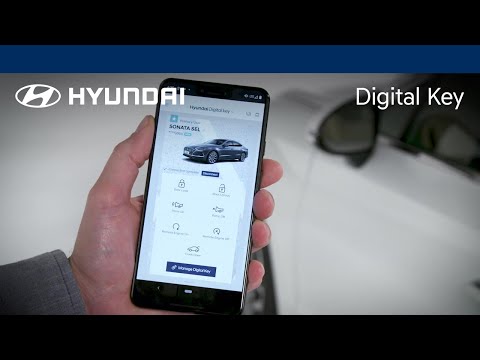

Hyundai Digital Key

star
4.98K reviews

Everyone
info
100K+
Downloads

Everyone
Learn more


About this app
Introducing Hyundai Digital Key! Using Hyundai Digital Key, you can quickly access and control your Digital Key equipped vehicle using your smartphone. Hyundai Digital Key also allows you to easily create, share and manage digital keys to give friends or family access to your vehicle. With Hyundai Digital Key, you can:
Lock, unlock and start your Hyundai (requires NFC)
Using your smartphone, simply tap your phone on the door handle to lock or unlock your vehicle. When you’re ready to drive, just place your smartphone on the wireless charging pad to start your vehicle.
Remotely control your vehicle using Bluetooth
Hyundai Digital Key lets you remotely control your vehicle from a distance using Bluetooth technology. Use the button in the app to remotely start/stop your engine, lock/unlock your doors, turn panic mode on/off or open your trunk.
Share and manage digital keys
When you want to give someone access to your vehicle, easily create and send them a digital key. Once the invite is accepted, they will be able to use the Hyundai Digital Key app to access or control your vehicle based on the permissions and time period you’ve allowed. Also pause your own digital keys or delete shared keys using the app or on MyHyundai.com.
Lock, unlock and start your Hyundai (requires NFC)
Using your smartphone, simply tap your phone on the door handle to lock or unlock your vehicle. When you’re ready to drive, just place your smartphone on the wireless charging pad to start your vehicle.
Remotely control your vehicle using Bluetooth
Hyundai Digital Key lets you remotely control your vehicle from a distance using Bluetooth technology. Use the button in the app to remotely start/stop your engine, lock/unlock your doors, turn panic mode on/off or open your trunk.
Share and manage digital keys
When you want to give someone access to your vehicle, easily create and send them a digital key. Once the invite is accepted, they will be able to use the Hyundai Digital Key app to access or control your vehicle based on the permissions and time period you’ve allowed. Also pause your own digital keys or delete shared keys using the app or on MyHyundai.com.
Access and control your Hyundai vehicle using your compatible Android device.
Updated on
Safety starts with understanding how developers collect and share your data. Data privacy and security practices may vary based on your use, region, and age. The developer provided this information and may update it over time.
- No data shared with third partiesLearn more about how developers declare sharing
- This app may collect these data typesPersonal info, Photos and videos and 2 others
- Data is encrypted in transit


Ratings and reviews
4.82K reviews

Artemis Eero
- Flag inappropriate
August 12, 2026
latest update broke the Bluetooth connection between vehicles. tried deleting and redownloading and also tried setting up from scratch using a different z fold. nfc unlock and car start works but none of the Bluetooth features work. "no vehicles discovered" is the error. quick search online finds that this apparently happens every couple of updates unfortunately. I'm using a z fold8
2 people found this review helpful

Bill Roe
- Flag inappropriate
September 5, 2026
NO LONGER RELIABLE! I had the digitalkey 1 on my previous Hyundai but was excited for DK2 with my Galaxy S25Ultra and leave that ugly fob home. It worked fine for about 6 months then started to work intermittently. I could still use the app to remotely unlock and once inside place the phone on the charger to start. But the convenience was lost and I now rely on the fob.Made several attempts to uninstall, reinstall, update etc but it still failed most of the time. DK2 was major factor for me.
5 people found this review helpful

Matthew Wardrop
- Flag inappropriate
July 28, 2026
NFC works, Bluetooth does not. When I hold the key up to the car, most of the time it just works. However, I have not once been able to unlock the car/etc from any distance, and the app continually reports "no vehicles discovered". I'm running the latest version. I was hoping for a mature product like this to be more reliable.
4 people found this review helpful
What’s new
- Bug fixes
- Increased app stability
- Increased app stability
Everyone
Learn moreApp support
About the developer
Hyundai Motor America
Jimmylam@hmausa.com
10550 Talbert Ave
Fountain Valley, CA 92708
United States
+1 949-542-2279


